Navigate to a saved location
Stay organized with collections
Save and categorize content based on your preferences.
Presenting location shortcuts in the landing screen of an app is a good way to
keep task flows short.
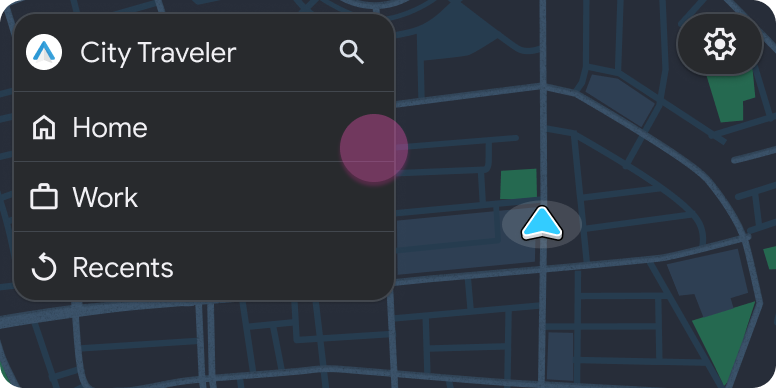
In the landing screen, if you include shortcuts such as "Home" and "Work," users
can start navigation just by tapping a shortcut.
Note: This sample flow shows how the templates might look in Android Auto. Sample flow
User action
Where action is performed
Step count after action
The user selects a shortcut to a saved location.
Pane template included in the Map + Content template (landing template)
1
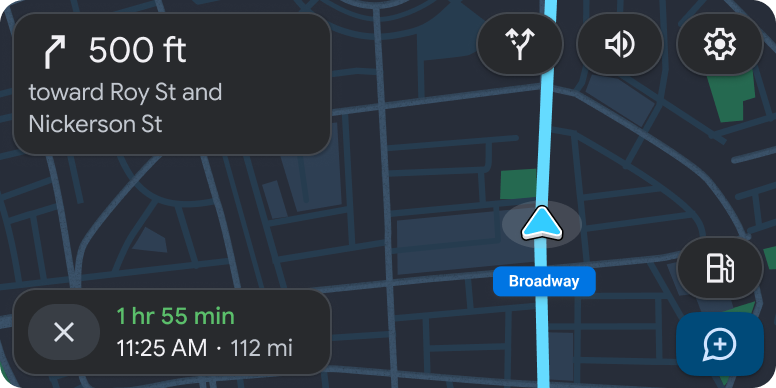
Navigation begins.
Navigation template
1 (new task)
Except as otherwise noted, the content of this page is licensed under the Creative Commons Attribution 4.0 License , and code samples are licensed under the Apache 2.0 License . For details, see the Google Developers Site Policies . Java is a registered trademark of Oracle and/or its affiliates.
Last updated 2024-07-23 UTC.
[null,null,["Last updated 2024-07-23 UTC."],[],[]]