
Derived from Google Street View, imagery insights provide a rich overview of infrastructure assets in the real world. This feature lets you identify and locate specific types of infrastructure within a defined area, streamlining workflows for urban planning, maintenance, and analysis.
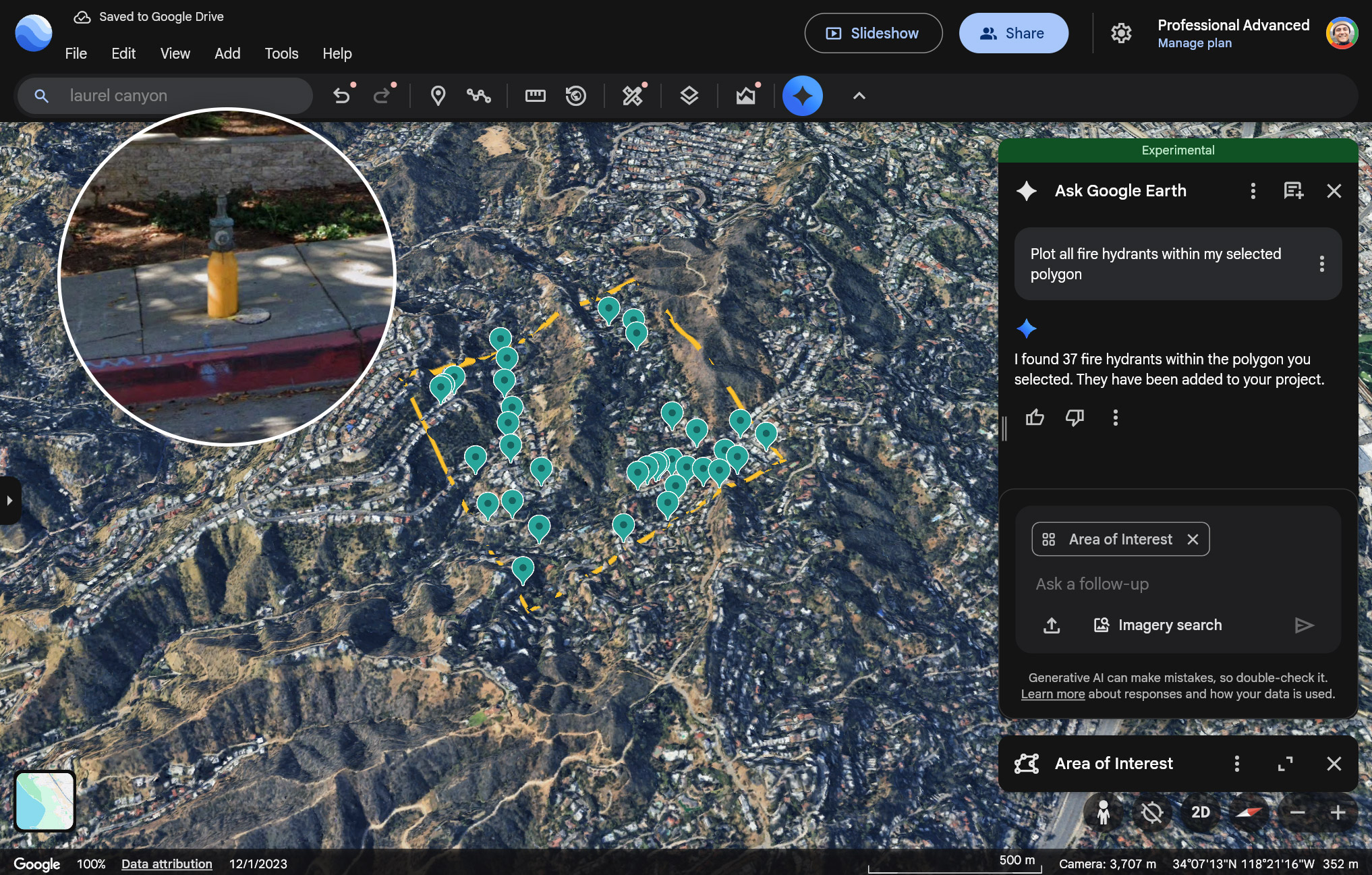
Try imagery insights in Google Earth
Get started
To access these insights, you can interact with Ask Google Earth using natural language queries combined with map selections:
- Create a project in Google Earth: Create a new project.
- Define your area of interest: Use the polygon tool to draw a specific area on the map and save it, or navigate to a specific view.
- Ask a question: Open Ask Google Earth and submit a query to identify assets within that selected boundary or view.
Example queries:
- "Plot all fire hydrants within my selected polygon"
- "Plot all storm drains in this view"
Supported infrastructure data
You can ask about the following types of infrastructure data (in the US only):
| Infrastructure data | Description |
|---|---|
| Fire hydrants | A standalone structure or connection point by which firefighters can tap into a water supply |
| Speed limit signs |
Regulatory signs that display the maximum or minimum speed of travel permitted on a roadway |
| Stop signs | Regulatory signs that instruct drivers to come to a complete stop before proceeding into an intersection or roadway |
| Street lights | Light sources mounted on poles intended to illuminate public roads, sidewalks, or other public areas for safety and navigation |
| Traffic lights | Signaling devices positioned at road intersections, pedestrian crossings, and other locations to control the flow of traffic using a standard color sequence (red, yellow, green) |
| Utility poles | Posts that support overhead power lines, telephone lines, and other public utilities |
| Storm drains | Includes typical round or rectangular drains and curb inlet drains |
| Maintenance covers | A lid covering a hole or entrance leading to an underground system (for example, for utilities), large enough for a person to access |
Limitations and Data Quality
- Query Limit: Each query returns a maximum of 500 features. This means the system may not provide a comprehensive dataset for very large areas or dense infrastructure networks in a single request. For larger areas, consider breaking down your Area of Interest into smaller polygons.
- Data Accuracy: Image quality and availability may vary. Street View photos may have been taken at different times and may sometimes be obstructed. Given these constraints, this data may not be authoritative and may have inaccuracies, such as imprecise latitudes and longitudes compared to the ground truth.