
Navigation point tokens allow you to send key contextual information about a destination to the Navigation SDK for Android, Navigation SDK for iOS, or the Routes API for improved routing and driver experience. This is useful in cases like food delivery or rideshare, where the pickup or dropoff point may be ambiguous without user input.
To create and pass a navigation point token, use the Destinations method of the Geocoding API to allow your users to select a preferred location from a list of navigation points. The user's selection becomes a navigation point returned by the Destinations method of the Geocoding API.
You can then pass the navigation point token, which contains both the destination coordinates as well as contextual information, to the Navigation SDK for Android or the Navigation SDK for iOS, or the Routes API, where a waypoint is created for precise routing. The destination will be highlighted for the driver by the Navigation SDK based on the Place the token is associated with.
Example: Rideshare use case
Overview
This example shows how to combine the Geocoding API, Routes API, and the Navigation SDK for iOS or Android to create a rideshare app that calculates route price and directs drivers to the correct pickup point.
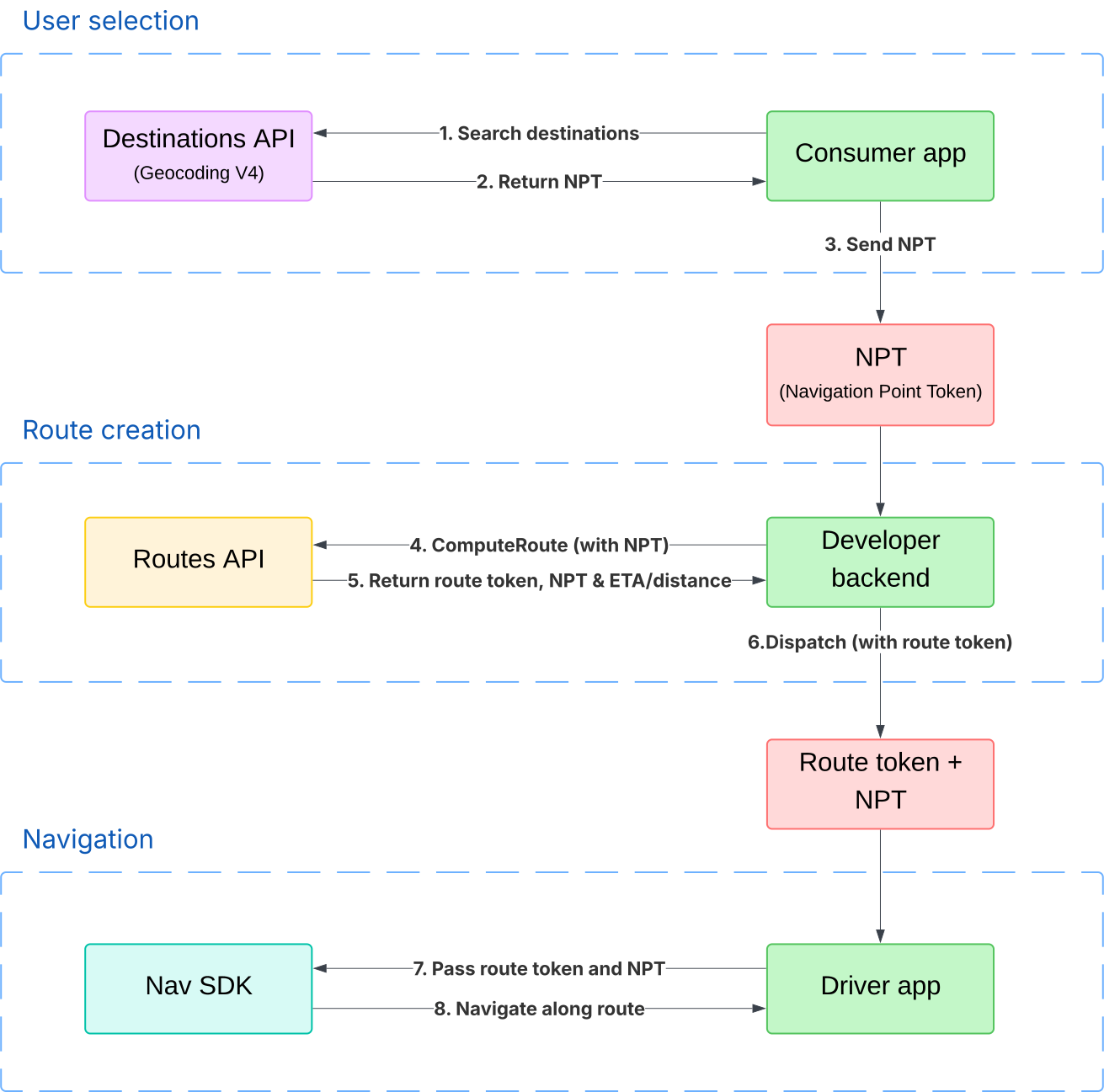
These are the steps at a high level:
- Retrieve a navigation point token through the Geocoding API.
- Use the Routes API to calculate a route and encode it in a route token.
- Pass both the navigation point token and the route token to the Navigation SDK.
- Use the Navigation SDK to route the driver to the correct pickup point.
See the Further reading section for links to the relevant Routes API, Navigation SDK for iOS, and Navigation SDK for Android documentation.
This diagram shows how a rideshare or delivery app would use the Geocoding API, Routes API, and Navigation SDK for iOS or Android to route a driver using a route token and navigation point token:
Rideshare example
Imagine a rideshare scenario where there is an app for the consumer to book the ride, and a second app for the driver to receive notification of the ride and routing information to the destination.
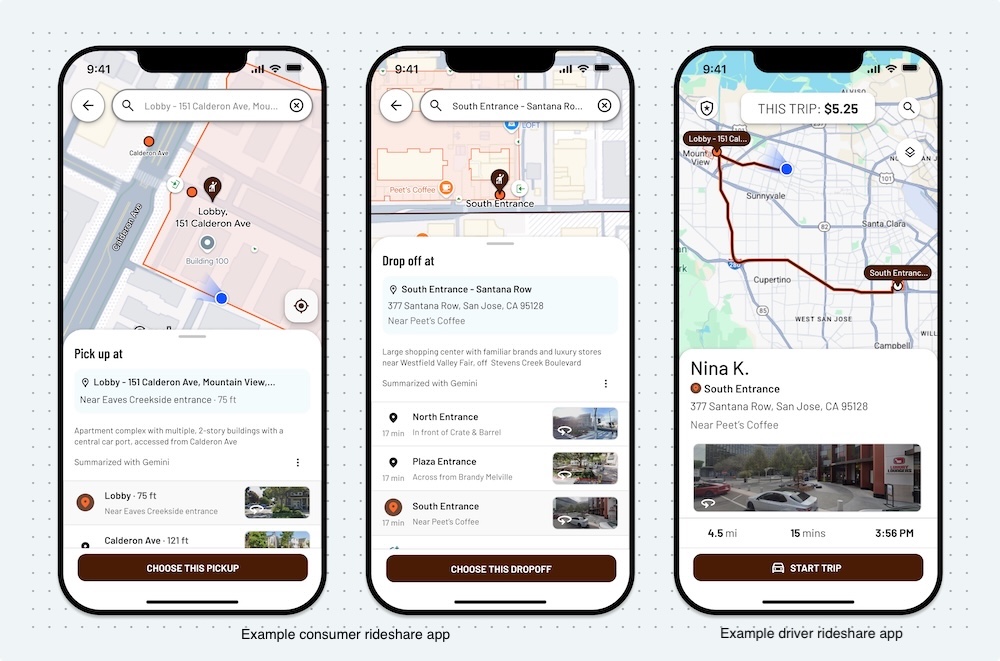
This image shows examples of a consumer rideshare app where the navigation point is selected, and a driver app using the Navigation SDK for Android to precisely route the driver.
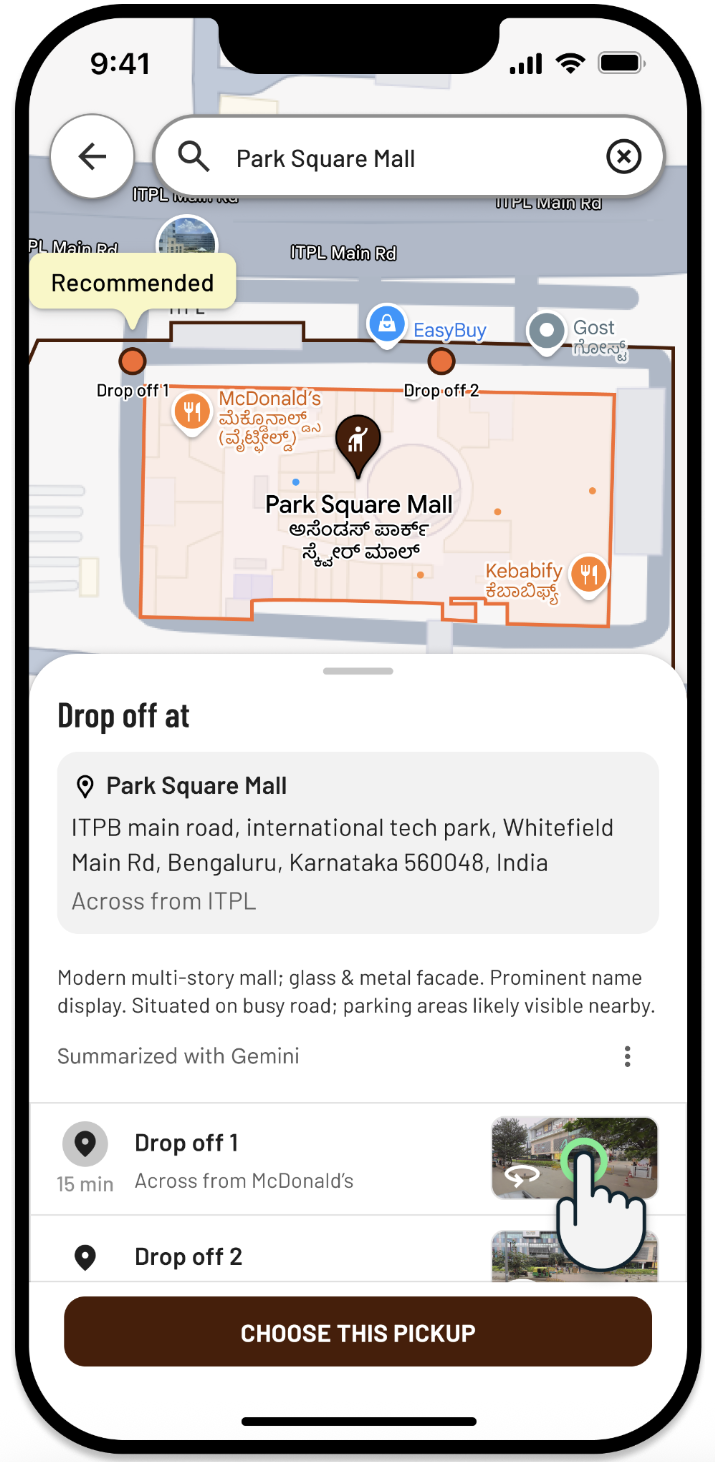
When a consumer opens the consumer app, the app calls the Destinations method of the Geocoding API and provides the consumer with a selection of potential navigation points:
The user chooses their preferred point, which is one in the array of
navigationPoints in the response body of a SearchDestinations request:
"navigationPoints": [
    {
      "navigationPointToken": <encoded navigation point token>,
      "displayName": "South Entrance",
      "travelModes": ["DRIVE"],
      "usages": ["PICKUP","DROPOFF"],
      "location": {
        "lat": 37.3940894,
        "lng": -122.0788389
      }
    }
]
The app backend provides the navigation point token to the Routes API to compute the route and retrieve a route token.
Finally, both the navigation point token and the route token are passed to a mobile driver app that uses the Navigation SDK for iOS or Android to create a waypoint to route the driver to the correct pickup point.
Further reading
- Routes API navigation point token documentation.
- Routes API route token documentation.
- Navigation SDK for Android route token documentation.
- Navigation SDK for iOS route token documentation.
- Navigation SDK for Android navigation point token documentation.
- Navigation SDK for iOS navigation point token documentation.