

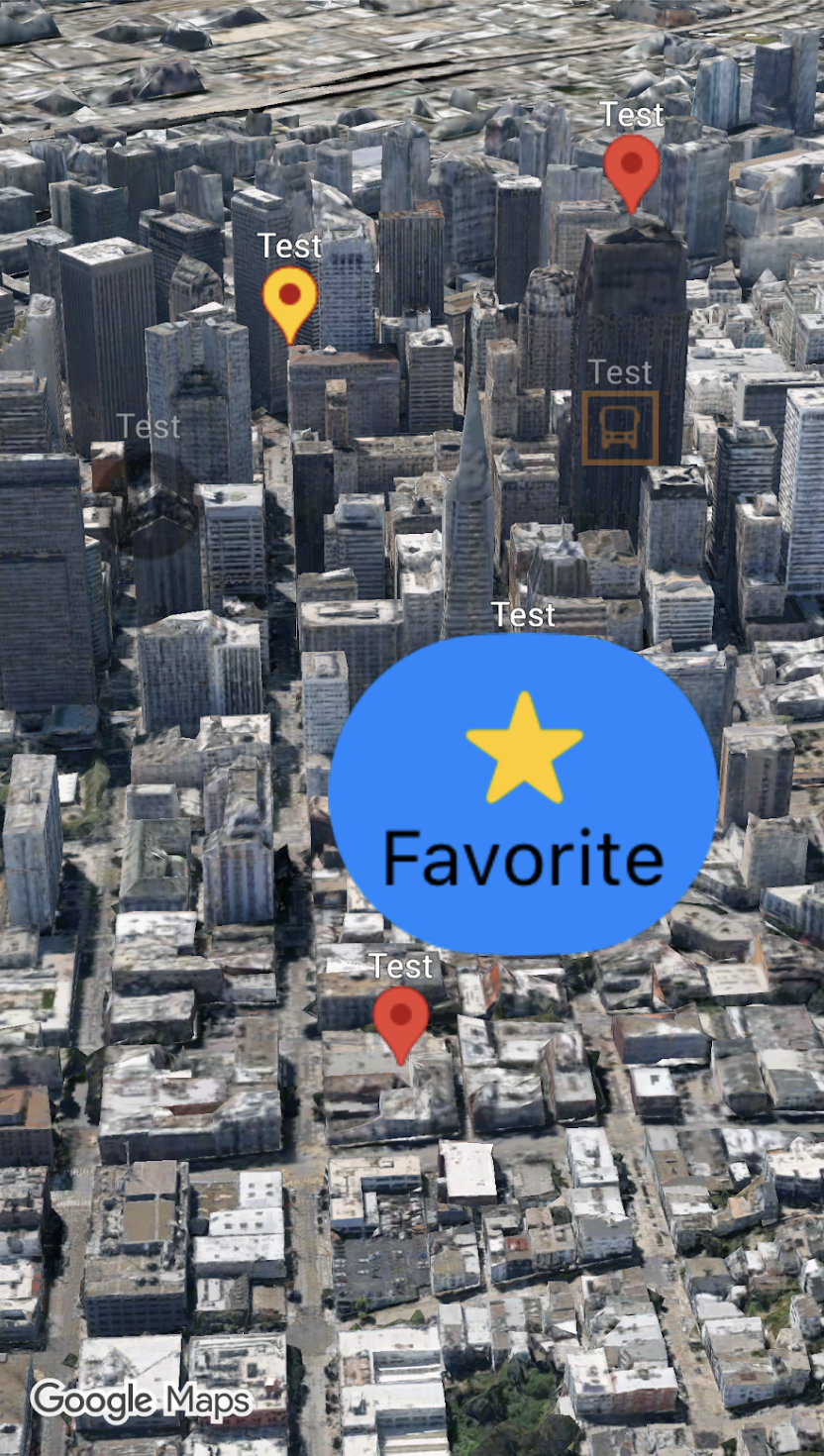
您可以通过将 Pin.Configuration
实例传递给 (Marker3D.Style.pin(_:)) 来自定义标记的外观,从而更改背景颜色和
边框颜色、字形文本和颜色、
海拔高度
、要使用的图片,以及更多
用于额外自定义的选项。
以下代码示例展示了如何创建新标记并使用一些可用的自定义选项来设置其样式:
Map(mode: .hybrid) {
  Marker3D(
      position: .init(latitude: 51.5074, longitude: -0.1278, altitude: 0.0),
      label: "London",
      style: .pin(.init(scale: 2.0))
  )
}
本页面介绍了如何通过以下方式自定义标记:
缩放标记
如需缩放标记,请使用 scale 选项:
Map(mode: .hybrid) {
  Marker3D(
      position: .init(latitude: 35.6762, longitude: 139.6503, altitude: 0.0),
        label: "Tokyo",
        style: .pin(
          .init(
            backgroundColor: .blue,
            borderColor: .yellow,
            scale: 2.0
            ) {Text("G").minimumScaleFactor(0.01)}
        )
  )
}
更改背景颜色
使用 Pin.Configuration 中的 backgroundColor 参数可更改标记的背景颜色:
Map(mode: .hybrid){
  Marker3D(
    position: .init(latitude: 48.8566, longitude: 2.3522, altitude: 0.0),
    label: "Paris",
    style: .pin(.init(backgroundColor: .yellow)) // Changes the pin's background color
  )
}
更改边框颜色
使用 Pin.Configuration 中的 borderColor 参数可更改标记的边框颜色:
Map(mode: .hybrid){
  Marker3D(
    position: .init(latitude: -22.9068, longitude: -43.1729, altitude: 0.0),
    label: "Rio de Janeiro",
    style: .pin(.init(backgroundColor: .green, borderColor: .brown)) // Customizes the pin border
  )
}
向字形添加文本
使用 Pin.Configuration 中的字形 @ViewBuilder 闭包参数可将默认字形替换为文本字符。标记的文本字形会随标记一起缩放:
Map(mode: .hybrid){
  Marker3D(
    position: .init(latitude: 25.2048, longitude: 55.2708, altitude: 0.0),
    label: "Dubai",
    style: .pin(.init(backgroundColor: .green) {
        Text("D") // Adds text inside the marker glyph
    })
  )
}