
论坛 (DiscussionForumPosting) 结构化数据
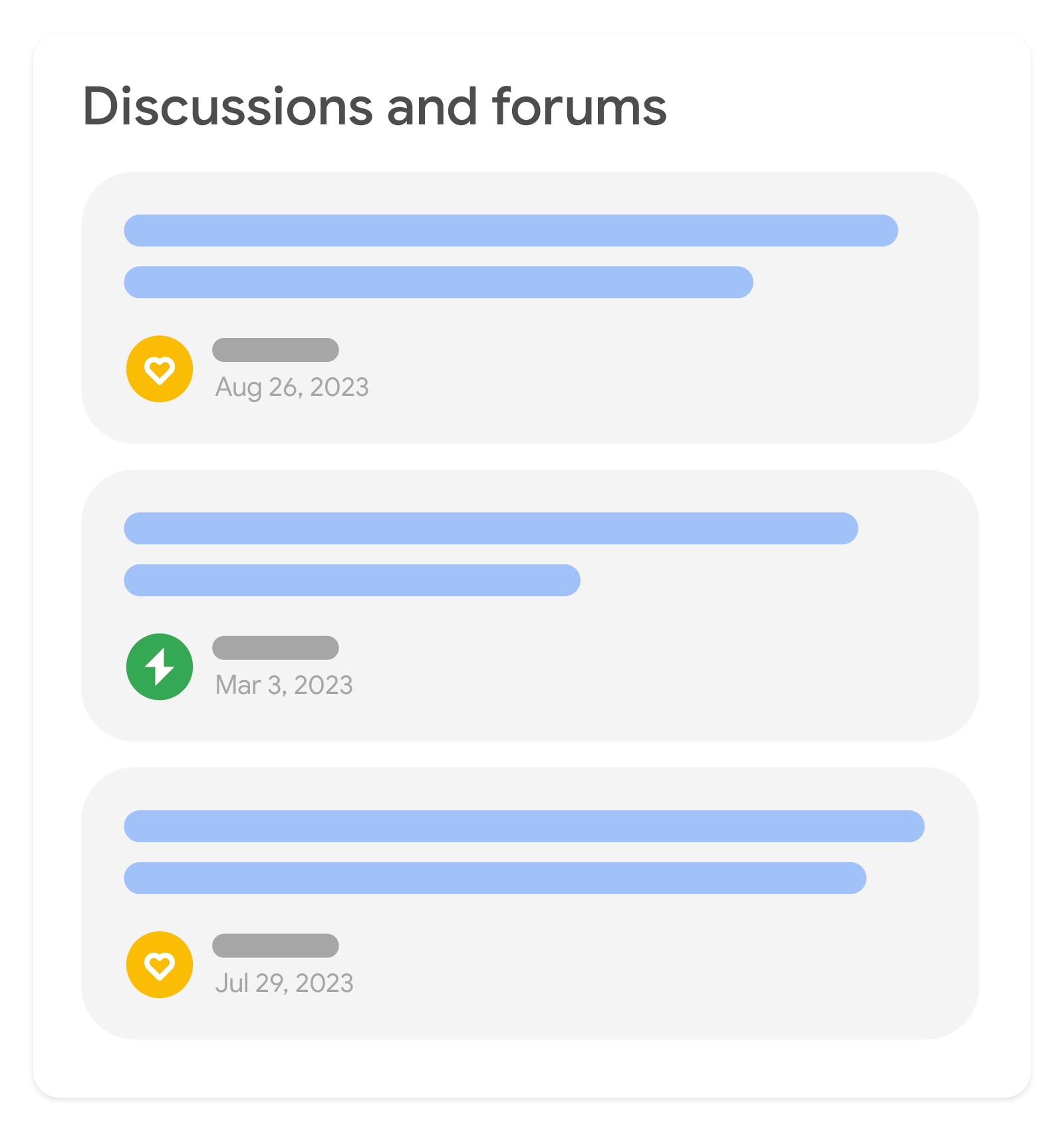
论坛标记适用于有大多数用户分享第一手观点的任何论坛式网站。当论坛网站添加此标记后,Google 搜索可以更好地识别网络中的在线讨论,并在讨论与论坛等功能中使用此标记。
如何在论坛中使用 DiscussionForumPosting
一般来说,我们建议将评论嵌套在相关的帖子下。如果论坛有自己的消息串结构,请使用评论树来表示其结构:
{
  "@context": "https://schema.org",
  "@type": "DiscussionForumPosting",
  "headline": "Very Popular Thread",
  ...
  "comment": [{
    "@type": "Comment",
    "text": "This should not be this popular",
    ...
    "comment": [{
      "@type": "Comment",
      "text": "Yes it should",
      ...
    }]
  }]
}
如果内容较为连贯(例如,原始帖子后跟一系列回复),请将它们全部作为评论嵌套在原始帖子下。理想情况下,多页论坛中相应内容的后续页面包含原始帖子及主页面网址:
{
  // JSON-LD on non-threaded forum at https://example.com/post/very-popular-thread/14
  "@context": "https://schema.org",
  "@type": "DiscussionForumPosting",
  "headline": "Very Popular Thread", // Only the headline/topic is explicitly present
  "url": "https://example.com/post/very-popular-thread",
  ...
  "comment": [{
    "@type": "Comment",
    "text": "First Post on this Page",
    ...
  },{
    "@type": "Comment",
    "text": "Second Post on this Page",
    ...
  }]
}
如果网址主要与单个帖子相关,请使用 mainEntity(或 mainEntityOfPage)标识主要 DiscussionForumPosting:
{
  "@context": "https://schema.org",
  "@type": "WebPage",
  "url": "https://example.com/post/very-popular-thread",
  "mainEntity": {
    "@type": "DiscussionForumPosting"
    ...
  }
}
对于包含一系列帖子的网页(例如在个人资料页面、主题页面或类别页面上),不将所有信息呈现在同一页面上并且用户必须点击才能获得额外信息(例如回复)是常见做法。您可以自行决定是否选择仅包含页面上呈现的信息,还是也包含特定讨论帖子的网址。
如果相应页面并非某个帖子的讨论页面,请勿将页面上的该帖子标记为主实体。如需表明多个页面是一组相关的帖子,不妨将这些页面全都附加到 Collection 或 ItemList。
如何添加结构化数据
结构化数据是一种提供网页相关信息并对网页内容进行分类的标准化格式。如果您不熟悉结构化数据,可以详细了解结构化数据的运作方式。
下面概述了如何构建、测试和发布结构化数据。如需获得向网页添加结构化数据的分步指南,请查看结构化数据 Codelab。
- 添加必要属性。根据您使用的格式,了解在网页上的什么位置插入结构化数据。
- 遵循指南。
- 使用富媒体搜索结果测试验证您的代码,并修复所有严重错误。此外,您还可以考虑修正该工具中可能会标记的任何非严重问题,因为这些这样有助于提升结构化数据的质量(不过,要使内容能够显示为富媒体搜索结果,并非必须这么做)。
- 部署一些包含您的结构化数据的网页,然后使用网址检查工具测试 Google 看到的网页样貌。请确保您的网页可供 Google 访问,不会因 robots.txt 文件、
noindex标记或登录要求而被屏蔽。如果网页看起来没有问题,您可以请求 Google 重新抓取您的网址。 - 为了让 Google 随时了解日后发生的更改,我们建议您提交站点地图。Search Console Sitemap API 可以帮助您自动执行此操作。
示例
以下标记示例显示了一个非消息串式的连贯论坛页面:
<html>
  <head>
    <title>I went to the concert!</title>
    <script type="application/ld+json">
    {
      "@context": "https://schema.org",
      "@type": "DiscussionForumPosting",
      "mainEntityOfPage": "https://example.com/post/very-popular-thread",
      "headline": "I went to the concert!",
      "text": "Look at how cool this concert was!",
      "video": {
        "@type": "VideoObject",
        "contentUrl": "https://example.com/media/super-cool-concert.mp4",
        "name": "Video of concert",
        "uploadDate": "2024-03-01T06:34:34+02:00",
        "thumbnailUrl": "https://example.com/media/super-cool-concert-snap.jpg"
      },
      "url": "https://example.com/post/very-popular-thread",
      "author": {
        "@type": "Person",
        "name": "Katie Pope",
        "url": "https://example.com/user/katie-pope",
        "agentInteractionStatistic": {
          "@type": "InteractionCounter",
          "interactionType": "https://schema.org/WriteAction",
          "userInteractionCount": 8
        }
      },
      "datePublished": "2024-03-01T08:34:34+02:00",
      "interactionStatistic": {
        "@type": "InteractionCounter",
        "interactionType": "https://schema.org/LikeAction",
        "userInteractionCount": 27
      },
      "comment": [{
        "@type": "Comment",
        "text": "Who's the person you're with?",
        "author": {
          "@type": "Person",
          "name": "Saul Douglas",
          "url": "https://example.com/user/saul-douglas",
          "agentInteractionStatistic": {
            "@type": "InteractionCounter",
            "interactionType": "https://schema.org/WriteAction",
            "userInteractionCount": 167
          }
        },
        "datePublished": "2024-03-01T09:46:02+02:00"
      },{
        "@type": "Comment",
        "text": "That's my mom, isn't she cool?",
        "author": {
          "@type": "Person",
          "name": "Katie Pope",
          "url": "https://example.com/user/katie-pope",
          "agentInteractionStatistic": {
            "@type": "InteractionCounter",
            "interactionType": "https://schema.org/WriteAction",
            "userInteractionCount": 8
          }
        },
        "datePublished": "2024-03-01T09:50:25+02:00",
        "interactionStatistic": {
          "@type": "InteractionCounter",
          "interactionType": "https://schema.org/LikeAction",
          "userInteractionCount": 7
        }
      }]
    }
  </script>
</head>
<body>
</body>
</html><html>
<body>
<div id="main-post" itemtype="https://schema.org/DiscussionForumPosting" itemscope>
<meta itemprop="mainEntityOfPage" content="https://example.com/post/very-popular-thread" />
<meta itemprop="url" content="https://example.com/post/very-popular-thread" />
<div class="author-block" itemprop="author" itemtype="https://schema.org/Person" itemscope>
<div><a href="https://example.com/user/katie-pope" itemprop="url"><span itemprop="name">Katie Pope</span></a></div>
<div itemprop="agentInteractionStatistic" itemtype="https://schema.org/InteractionCounter" itemscope>
<span itemprop="userInteractionCount">8</span>
<span itemprop="interactionType" content="https://schema.org/WriteAction">posts</span>
</div>
</div>
<div itemprop="datePublished" content="2024-03-01T08:34:34+02:00">March 1</div>
<div itemprop="headline">I went to the concert!</div>
<div>
<div itemprop="video" itemtype="https://schema.org/VideoObject" itemscope>
<meta itemprop="name" content="Video of concert" />
<meta itemprop="contentUrl" content="https://example.com/media/super-cool-concert.mp4" />
<meta itemprop="uploadDate" content="2024-03-01T06:34:34+02:00" />
<meta itemprop="thumbnailUrl" content="https://example.com/media/super-cool-concert-snap.jpg" />
</div>
<span itemprop="text">Look at how cool this concert was!</span>
</div>
<div itemprop="interactionStatistic" itemtype="https://schema.org/InteractionCounter" itemscope>
<span itemprop="userInteractionCount">27</span>
<span itemprop="interactionType" content="https://schema.org/LikeAction">likes</span>
</div>
<div id="comment-1" itemprop="comment" itemtype="https://schema.org/Comment" itemscope>
<div class="author-block" itemprop="author" itemtype="https://schema.org/Person" itemscope>
<div><a href="https://example.com/user/saul-douglas" itemprop="url"><span itemprop="name">Saul Douglas</span></a></div>
<div itemprop="agentInteractionStatistic" itemtype="https://schema.org/InteractionCounter" itemscope>
<span itemprop="userInteractionCount">167</span>
<span itemprop="interactionType" content="https://schema.org/WriteAction">posts</span>
</div>
</div>
<div itemprop="datePublished" content="2024-03-01T09:46:02+02:00">March 1</div>
<div>
<span itemprop="text">Who's the person you're with?</span>
</div>
</div>
<div id="comment-2" itemprop="comment" itemtype="https://schema.org/Comment" itemscope>
<div class="author-block" itemprop="author" itemtype="https://schema.org/Person" itemscope>
<div><a href="https://example.com/user/katie-pope" itemprop="url"><span itemprop="name">Katie Pope</span></a></div>
<div itemprop="agentInteractionStatistic" itemtype="https://schema.org/InteractionCounter" itemscope>
<span itemprop="userInteractionCount">8</span>
<span itemprop="interactionType" content="https://schema.org/WriteAction">posts</span>
</div>
</div>
<div itemprop="datePublished" content="2024-03-01T09:50:25+02:00">March 1</div>
<div>
<span itemprop="text">That's my mom, isn't she cool?</span>
</div>
<div itemprop="interactionStatistic" itemtype="https://schema.org/InteractionCounter" itemscope>
<span itemprop="userInteractionCount">7</span>
<span itemprop="interactionType" content="https://schema.org/LikeAction">likes</span>
</div>
</div>
</div>
</body>
</html>指南
为了让您的论坛结构化数据能够在 Google 搜索中使用,您必须遵循以下指南:
内容指南
- 仅使用
DiscussionForumPosting标记来描述网站上用户生成的帖子。请勿对主要由网站的发布商或其代理撰写的内容使用此标记。 - 如果您的网站更像是通用社交媒体平台,则可以使用
SocialMediaPosting,它是DiscussionForumPosting的父类型,具有相同的要求。 - 虽然我们建议其他类型(
Article、ImageObject、VideoObject)的有效标记可使用与评论、作者信息、互动统计数据非常类似的标记,但这些不应使用DiscussionForumPosting标记。以下是一些示例:有效用例:
- 社区论坛页面,用户可在页面中讨论特定游戏
- 托管各种子论坛内容的一般论坛平台
- 社交媒体平台,用户可以在其中发布内容并回复评论或媒体
无效用例:
- 由网站代理直接撰写的文章或博客(即使附有评论)
- 商品的用户评价
- 请注意,在 Google 上的大多数使用情形中,问答页面被视为论坛页面的一种特殊情况。如果论坛网站的结构主要是问题和回答,我们建议您改用“问答”标记。如果网站结构较为常规且通常不是问答内容,
DiscussionForumPosting会是更好的选择。 - 确保每个
DiscussionForumPosting包含帖子的完整文本,并确保每个Comment包含回复的完整文本(如果回复是在该页面上发现的)。
技术指南
- 与常规的结构化数据偏好设置不同,我们建议您尽可能使用微数据(或 RDFa)提供
DiscussionForumPosting标记。这样一来,您就不需要在标记内重复大型文本块。不过,这只是建议,我们仍完全支持 JSON-LD。
不同结构化数据类型的定义
本部分介绍了与 DiscussionForumPosting 相关的结构化数据类型。
若要使您的内容能够在 Google 搜索中使用,您必须为其添加必需属性。您还可以添加建议的属性,以便加入更多与论坛页面有关的信息,进而提供更好的用户体验。
DiscussionForumPosting(或 SocialMediaPosting)
DiscussionForumPosting 类型用于定义作为讨论主题的原始帖子。虽然这种类型通常由文本组成,但也可以发布仅包含媒体内容的论坛帖子。
| 必要属性 | |
|---|---|
|
Person 或 Organization
帖子作者的相关信息。为了帮助 Google 更好地了解各种功能中的作者,建议您遵循作者标记最佳实践。 |
|
Text
帖子作者的姓名。 |
|
帖子的发布日期和时间,采用 ISO 8601 格式。 |
text、image 或 video |
为了表示帖子的内容,您必须添加以下属性之一: 不过,若是您使用外部 |
| 建议属性 | |
|---|---|
|
可唯一标识帖子作者的网页链接,该网页很有可能是论坛的个人资料页面。我们建议您使用个人资料页面结构化数据标记该网页。 |
comment |
对帖子的评论或回复(如果适用)。按照评论在页面上的显示顺序对其进行标记。 |
commentCount |
有关相应帖子的评论数量(如果适用)。如果评论标记中未包含所有这些属性,此属性就特别有用。 |
creativeWorkStatus |
如果帖子已被删除,但是为了上下文或讨论贴而保留,请将此属性设置为 |
dateModified |
帖子的修改日期和时间,采用 ISO 8601 格式(如果适用)。如果没有进行任何更改,则无需重复发布日期。 |
digitalSourceType |
如果未指定此属性,Google 会假定内容是由人工生成的。 |
|
Text
帖子的标题。如果没有单独的标题,请勿复制或截断文本作为标题。 不建议为 |
image |
帖子中的任何内嵌图片(如果适用)。如果没有任何图片,请勿在此字段中添加默认图片、图标、占位符图片或作者图片。如果图片是链接预览,请将其包含在 |
interactionStatistic |
应用到主要帖子的用户统计数据(如果适用)。 Google 支持以下
|
isPartOf |
帖子的主要来源(如果帖子出现在整个网站的特定部分,若适用)。例如,更大型网站中的子论坛或群组。如果使用 |
|
CreativeWork 的子类型帖子中的主要分享内容(若适用)。我们接受以下四种类型:
|
text |
帖子中的任何文本(如果适用)。这很常用,但如果帖子中有其他媒体内容,就可以在某些情况下忽略。 |
|
URL
讨论页面的规范网址。在多页面消息串中,请将此属性设置为第一个页面网址。对于单个讨论,这通常就是目前网址。 |
video |
帖子中的任何内嵌视频(如果适用)。 |
Comment
Comment 类型用于定义对原始 CreativeWork 的评论。在本例中,这是一个 DiscussionForumPosting,具备与 DiscussionForumPosting 相同的许多属性,适用类似的指南。
| 必要属性 | |
|---|---|
|
Person 或 Organization
评论作者的相关信息。为了帮助 Google 更好地了解各种功能中的作者,建议您遵循作者标记最佳实践。 |
|
评论的撰写日期和时间,采用 ISO 8601 格式。如果没有进行任何更改,则无需重复发布日期。 |
text、image 或 video |
为了表示评论的内容,您必须添加以下属性之一: |
| 建议属性 | |
|---|---|
|
可唯一标识评论作者的网页链接,该网页很有可能是论坛的个人资料页面。我们建议您使用个人资料页面结构化数据标记该网页。 |
comment |
与该评论相关的其他评论,或对该评论进行回复的其他评论(如果适用)。请按照评论在页面上的显示顺序对其进行标记。 |
commentCount |
关于相应评论的评论数(如果适用)。如果评论标记中未包含所有这些属性,此属性就特别有用。 |
creativeWorkStatus |
如果评论已被删除,但是为了上下文或讨论贴而保留,请将此属性设为 |
dateModified |
评论的上次修改日期和时间,采用 ISO 8601 格式(如果适用)。 |
digitalSourceType |
如果未指定此属性,Google 会假定内容是由人工生成的。 |
image |
评论中的任何内嵌图片(如果适用)。如果没有任何图片,请勿在此字段中添加默认图片、图标、占位符图片或作者图片。如果图片是链接预览,请将其包含在 |
interactionStatistic |
应用到评论的用户统计数据(如果适用)。 Google 支持以下
|
|
CreativeWork 的子类型帖子中的主要分享内容(若适用)。我们可识别出以下四种类型:
|
|
URL
指向页面上该特定评论的网址(如果适用)。如果此网址只是原始帖子的网址,请勿添加此属性。 |
video |
评论中的任何内嵌视频(如果适用)。 |
InteractionCounter
InteractionCounter 允许将计数与特定类型的互动活动相关联。 该属性可同时用于内容(DiscussionForumPosting 和 Comment)属性,以及 author 属性。
| 必要属性 | |
|---|---|
|
Integer
进行此互动的次数。 |
|
如需查看此属性的有效 |
使用 Search Console 监控富媒体搜索结果
Search Console 是一款工具,可帮助您监控网页在 Google 搜索结果中的显示效果。即使没有注册 Search Console,您的网页也可能会显示在 Google 搜索结果中,但注册 Search Console 能够帮助您了解 Google 如何查看您的网站并做出相应的改进。建议您在以下情况下查看 Search Console:
首次部署结构化数据后
等 Google 将网页编入索引后,请在相关的富媒体搜索结果状态报告中查看是否存在问题。 理想情况下,有效项目数量会增加,而无效项目数量不会增加。如果您发现结构化数据存在问题,请执行以下操作:
发布新模板或更新代码后
如果对网站进行重大更改,请监控结构化数据无效项目的增幅。- 如果您发现无效项目增多了,可能是因为您推出的某个新模板无法正常工作,或者您的网站以一种新的错误方式与现有模板交互。
- 如果您发现有效项目减少了(但无效项目的增加情况并不对应),可能是因为您的网页中未再嵌入结构化数据。请通过网址检查工具了解导致此问题的原因。
定期分析流量时
请使用效果报告分析您的 Google 搜索流量。数据将显示您的网页在 Google 搜索结果中显示为富媒体搜索结果的频率、用户点击该网页的频率以及网页在搜索结果中的平均排名。您还可以使用 Search Console API 自动提取这些结果。问题排查
如果您在实施或调试结构化数据时遇到问题,请查看下面列出的一些实用资源。
- 如果您使用了内容管理系统 (CMS) 或其他人负责管理您的网站,请向其寻求帮助。请务必向其转发列明问题细节的任何 Search Console 消息。
- Google 不能保证使用结构化数据的功能一定会显示在搜索结果中。如需查看导致 Google 无法将您的内容显示为富媒体搜索结果的各种常见原因,请参阅结构化数据常规指南。
- 您的结构化数据可能存在错误。请查看结构化数据错误列表和“无法解析的结构化数据”报告。
- 如果您的网页受到结构化数据手动操作的影响,其中的结构化数据将会被忽略(但该网页仍可能会出现在 Google 搜索结果中)。如需修正结构化数据问题,请使用“人工处置措施”报告。
- 再次查看相关指南,确认您的内容是否未遵循指南。问题可能是因为出现垃圾内容或使用垃圾标记导致的。不过,问题可能不是语法问题,因此富媒体搜索结果测试无法识别这些问题。
- 结构化数据问题可能会影响网站内容在搜索结果中的显示方式。请参阅针对富媒体搜索结果缺失/富媒体搜索结果总数下降进行问题排查指南,了解在 Search Console 中发现、修正和验证这些问题的分步方法。
- 请等待一段时间,以便 Google 重新抓取您的网页并重新将其编入索引。请注意,网页发布后,Google 可能需要几天时间才会找到和抓取该网页。有关抓取和索引编制的常见问题,请参阅 Google 搜索抓取和索引编制常见问题解答。
- 在 Google 搜索中心论坛中发帖提问。