

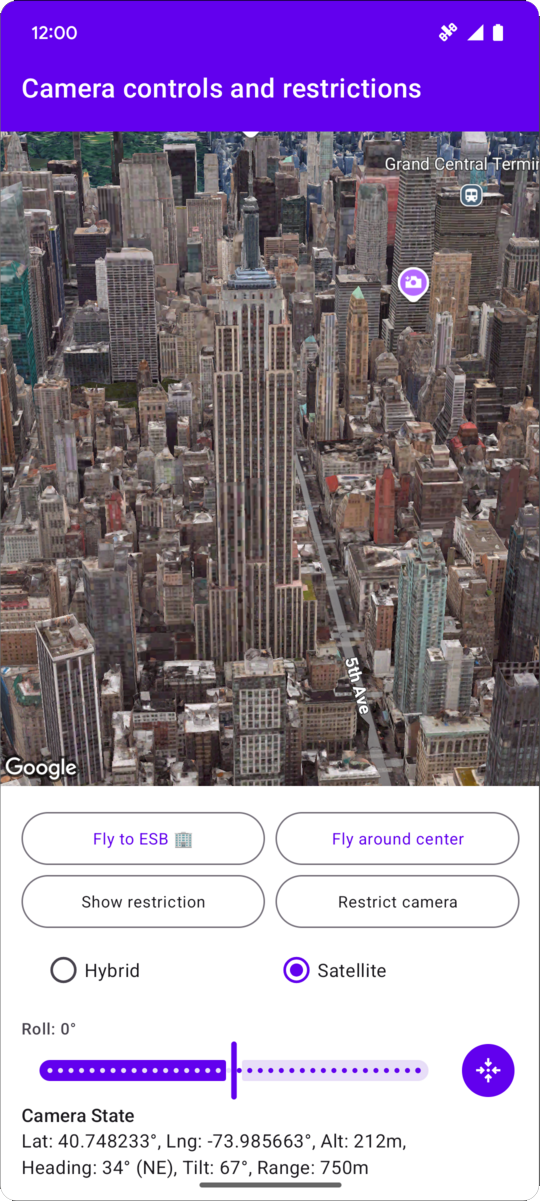
以下代码示例演示了如何使用
CameraRestriction
来限制摄像头的地理边界以及
摄像头海拔高度、航向和倾斜度值。
// Add imports and define constants
import com.google.android.gms.maps3d.model.AltitudeMode
import com.google.android.gms.maps3d.model.LatLngAltitude
import com.google.android.gms.maps3d.model.cameraRestriction
import com.google.android.gms.maps3d.model.latLngAltitude
import com.google.android.gms.maps3d.model.latLngBounds
import com.google.android.gms.maps3d.model.polygonOptions

const val EMPIRE_STATE_BUILDING_LATITUDE = 40.748233
const val EMPIRE_STATE_BUILDING_LONGITUDE = -73.985663

private const val NYC_SOUTH_WEST_LAT = 40.68563088976172
private const val NYC_SOUTH_WEST_LNG = -74.05030430240065
private const val NYC_NORTH_EAST_LAT = 40.85649214337128
private const val NYC_NORTH_EAST_LNG = -73.80240973771173
private const val MAX_ALTITUDE_NYC_METERS = 10000.0
private const val MIN_ALTITUDE_NYC_METERS = 500.0

private val nycBounds = latLngBounds {
    northEastLat = NYC_NORTH_EAST_LAT
    northEastLng = NYC_NORTH_EAST_LNG
    southWestLat = NYC_SOUTH_WEST_LAT
    southWestLng = NYC_SOUTH_WEST_LNG
}

// Define the restrictions
val nycCameraRestriction = cameraRestriction {
  minAltitude = MIN_ALTITUDE_NYC_METERS
  maxAltitude = MAX_ALTITUDE_NYC_METERS
  minHeading = 0.0
  maxHeading = 360.0
  minTilt = 0.0
  maxTilt = 90.0
  bounds = nycBounds
}