

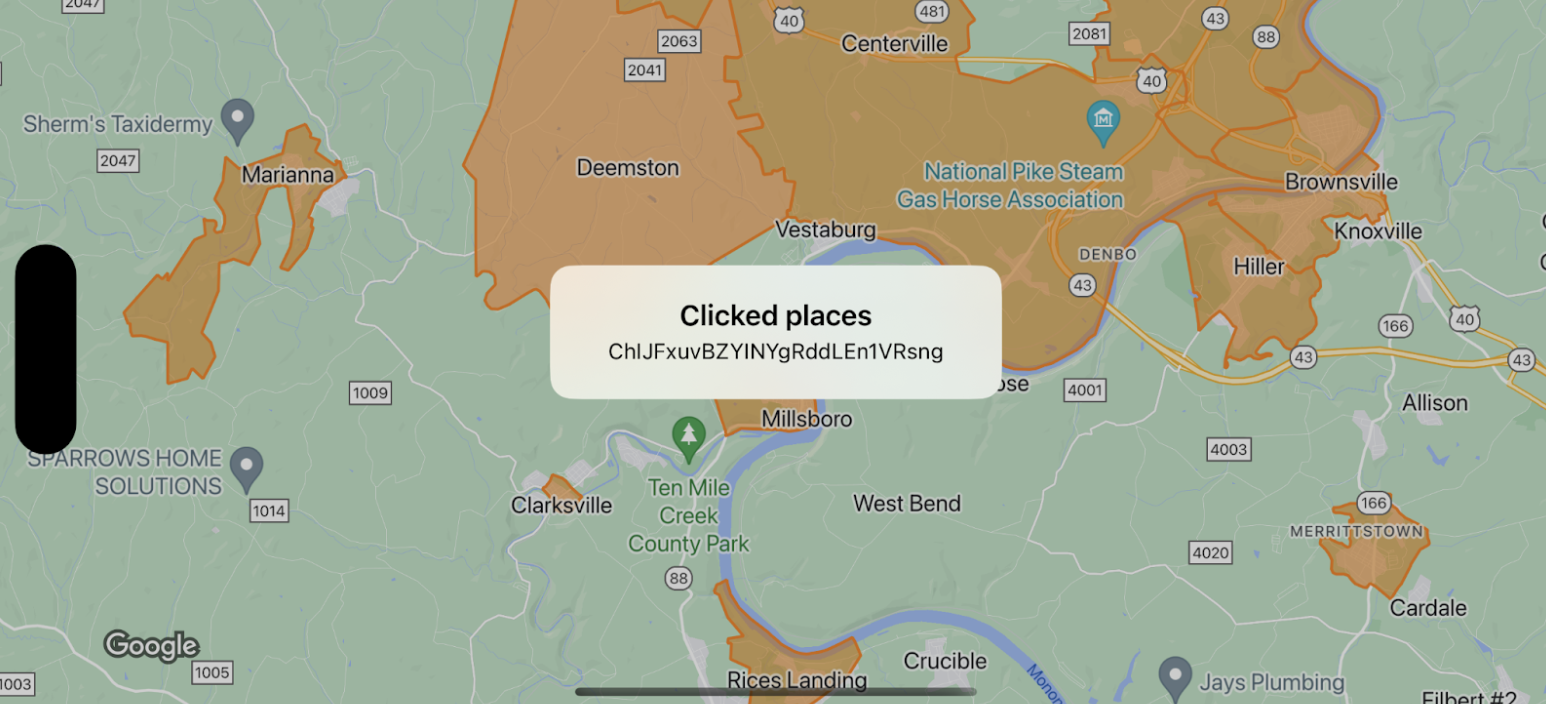
בדוגמה הזו מוצגים גבולות המפה של GMSFeatureTypeLocality, ומוטמעת פונקציית הנציג שמעצבת את הפוליגון שנלחץ. בתוצאה מוצג חלון התראה עם מידע על נתוני האירוע.
Swift
class SampleViewController: UIViewController {

  private lazy var mapView: GMSMapView = {
    let options = GMSMapViewOptions()
    options.mapID = GMSMapID(identifier: "YOUR_MAP_ID")
    options.camera = GMSCameraPosition(latitude: 40, longitude: -80, zoom: 12)
    return GMSMapView(options: options)
  }()

  override func loadView() {
    view = mapView
    let style = FeatureStyle(fill: .orange.withAlphaComponent(0.5), stroke: .orange, strokeWidth: 2)
    mapView.featureLayer(of: .locality).style = { _ in style }
    mapView.delegate = self
  }
}

extension SampleViewController: GMSMapViewDelegate {
  func mapView(_ mapView: GMSMapView, didTap features: [Feature], in featureLayer: FeatureLayer<Feature>, atLocation: CLLocationCoordinate2D) {
    let toast = UIAlertController(title: "Clicked places", message: (features.compactMap { ($0 as? PlaceFeature)?.placeID }).joined(separator: ", "), preferredStyle: .alert)
    present(toast, animated: true, completion: nil)
  }
}
Objective-C
@interface SampleViewController: UIViewController <GMSMapViewDelegate>
@end

@implementation SampleViewController
- (void)loadView {
    GMSMapViewOptions *options = [[GMSMapViewOptions alloc] init];
    options.camera = [GMSCameraPosition cameraWithLatitude:40 longitude:-80 zoom:12];
    options.mapID = [GMSMapID mapIDWithIdentifier:@"YOUR_MAP_ID"];
    GMSMapView *mapView = [[GMSMapView alloc] initWithOptions:options];
    mapView.delegate = self;

    GMSFeatureStyle *style = [GMSFeatureStyle styleWithFillColor:[[UIColor orangeColor] colorWithAlphaComponent:0.5] strokeColor:[UIColor orangeColor] strokeWidth:2.0];
    [mapView featureLayerOfFeatureType:GMSFeatureTypeLocality].style = ^(GMSPlaceFeature *feature) { return style; };

    self.view = mapView;
}

- (void)mapView:(GMSMapView *)mapView didTapFeatures:(NSArray<id<GMSFeature>> *)features inFeatureLayer:(GMSFeatureLayer *)featureLayer atLocation:(CLLocationCoordinate2D)location {
  NSMutableArray<NSString *> *places = [NSMutableArray array];

  for (id<GMSFeature> feature in features) {
    if (![feature isKindOfClass:[GMSPlaceFeature class]]) { continue; }
    NSString *placeID = ((GMSPlaceFeature *)feature).placeID;
    [places addObject:placeID];
  }

  UIAlertController *toast = [UIAlertController alertControllerWithTitle:@"Clicked places" message:[places componentsJoinedByString:@", "] preferredStyle:UIAlertControllerStyleAlert];
  [self presentViewController:toast animated:YES completion:nil];
}