

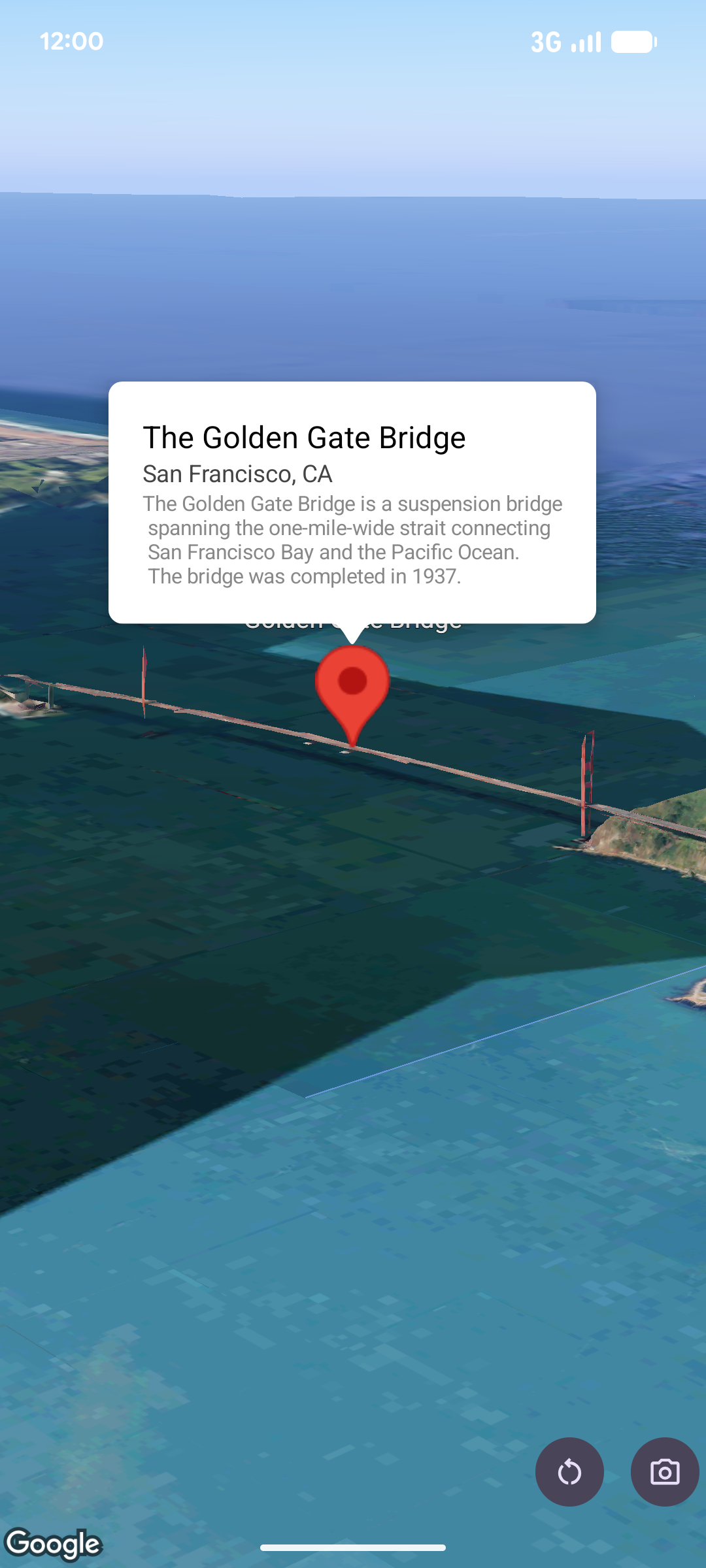
弹出式窗口用于在地图上的给定位置以信息气泡窗口的形式显示内容(通常为文本或图像)。弹出式窗口包含一个内容区域和一个锥形柄, 柄的尖端与地图上的指定位置相连。
通常,您会将弹出式窗口附加到
标记,但也可以
将弹出式窗口附加到特定的 LatLng 坐标。
添加弹出式窗口
如需添加弹出式窗口,请创建一个 Popover 对象并设置其选项,包括
位置和
海拔模式
。位置是一个 LatLng 对象,其中包含纬度、经度和海拔,用于确定弹出式窗口的显示位置。如果锚定到标记,则会改用标记的位置。您还可以通过设置海拔模式来控制如何解读海拔。
弹出式窗口的内容必须包含在 AndroidView中。 弹出式窗口默认可滚动,并且具有预定义的最大高度。
将弹出式窗口锚定到标记
您可以将弹出式窗口锚定到标记。添加锚定到标记的弹出式窗口时,您需要将弹出式窗口与 Marker 对象相关联。
class MapManager(private val map: MapView) {

    /**
     * Adds a popover anchored to a marker.
     * @param context The Context required to instantiate UI views.
     */
    fun addPopoverToMarker(context: Context) {
        // 1. Create a marker
        val markerOptions = markerOptions {
            position = latLngAltitude {
                latitude = 37.422
                longitude = -122.084
                altitude = 0.0
            }
        }

        val marker = map.addMarker(markerOptions) ?: return

        // 2. Create the custom view using the passed-in context
        val textView = TextView(context).apply {
            text = context.getString(R.string.popover_hello)
            setPadding(16, 16, 16, 16)
            setBackgroundColor(Color.WHITE)
            setTextColor(Color.BLACK)
        }

        // 3. Configure and display the popover
        val options = popoverOptions {
            content = textView
            positionAnchor = marker
            altitudeMode = AltitudeMode.RELATIVE_TO_GROUND
        }

        val popover = map.addPopover(options)
        popover.show()
    }
}
添加已配置的弹出式窗口
以下示例添加了一个弹出式窗口,该窗口会在用户点按弹出式窗口外部时自动关闭,并且不会自动平移到新打开的弹出式窗口:
/**
 * Adds a configured popover (auto-close enabled, auto-pan disabled).
 * @param context The Context used to inflate the UI and retrieve string resources.
 */
fun addConfiguredPopover(context: Context) {
    // 1. Initialize the view with the explicit context
    val textView = TextView(context).apply {
        text = context.getString(com.example.snippets.common.R.string.popover_info)
        setPadding(12, 12, 12, 12)
        setBackgroundColor(Color.WHITE)
        setTextColor(Color.BLACK)
    }

    // 2. Configure popover behavior
    val options = popoverOptions {
        content = textView
        // Setting a fixed coordinate anchor
        positionAnchor = latLngAltitude {
            latitude = 0.0
            longitude = 0.0
            altitude = 0.0
        }
        autoCloseEnabled = true // Closes automatically when the map is tapped elsewhere
        autoPanEnabled = false  // Map camera remains stationary when popover appears
    }

    // 3. Add to the map instance
    map.addPopover(options)
}