

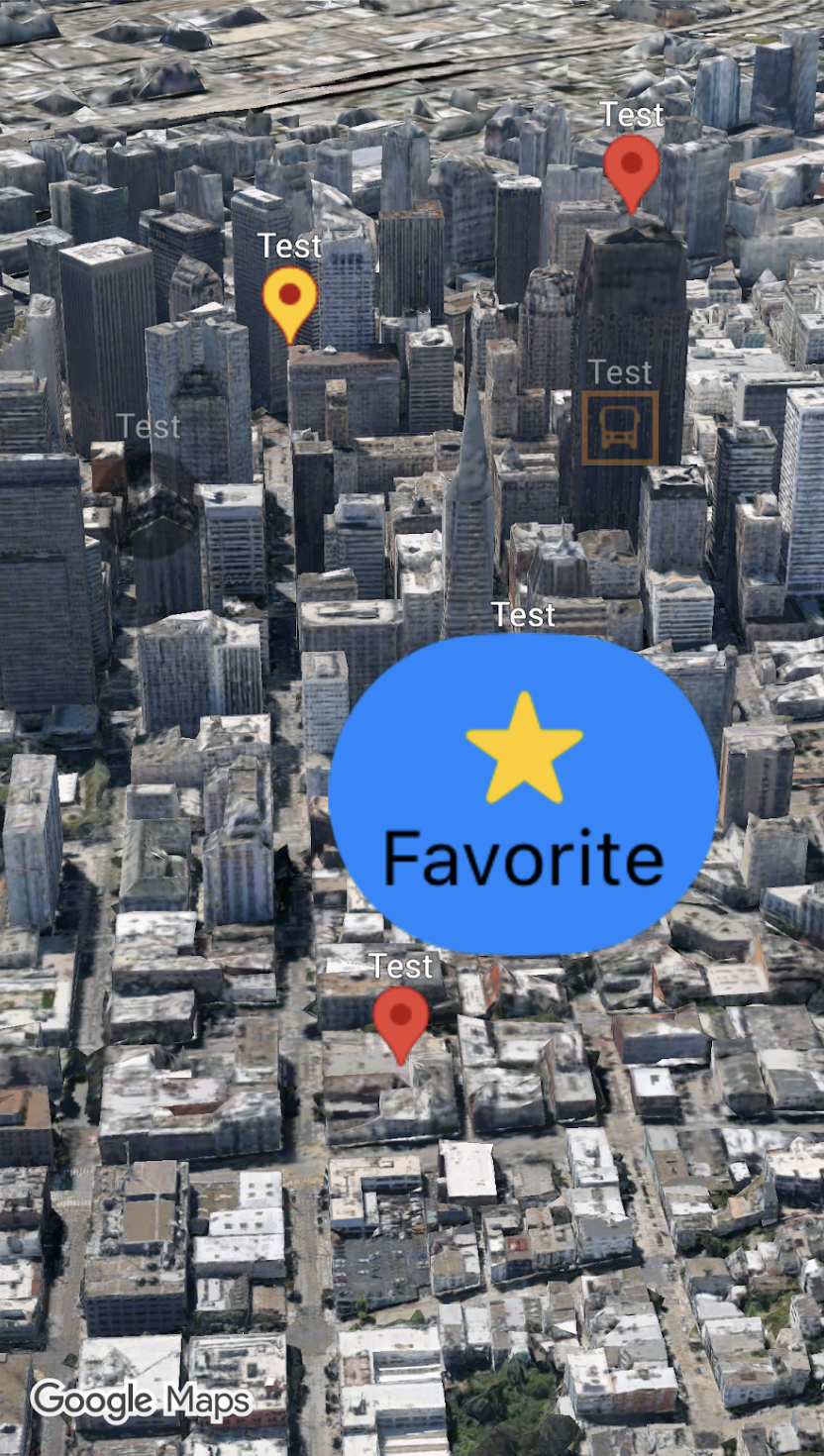
כדי להתאים אישית את המראה של הסמנים, אפשר להעביר מופע של Pin.Configuration אל (Marker3D.Style.pin(_:)). כך אפשר לשנות את צבעי הרקע והגבול, את הטקסט והצבע של הגליף, את הגובה, את התמונה שבה רוצים להשתמש ועוד אפשרויות להתאמה אישית נוספת.
בדוגמת הקוד הבאה אפשר לראות איך יוצרים סמן חדש ומשנים את הסגנון שלו באמצעות חלק מאפשרויות ההתאמה האישית הזמינות:
Map(mode: .hybrid) {
  Marker3D(
      position: .init(latitude: 51.5074, longitude: -0.1278, altitude: 0.0),
      label: "London",
      style: .pin(.init(scale: 2.0))
  )
}
בדף הזה מוסבר איך להתאים אישית סמנים בדרכים הבאות:
שינוי קנה המידה של הסמן
כדי לשנות את קנה המידה של סמן, משתמשים באפשרות scale:
Map(mode: .hybrid) {
  Marker3D(
      position: .init(latitude: 35.6762, longitude: 139.6503, altitude: 0.0),
        label: "Tokyo",
        style: .pin(
          .init(
            backgroundColor: .blue,
            borderColor: .yellow,
            scale: 2.0
            ) {Text("G").minimumScaleFactor(0.01)}
        )
  )
}
שינוי צבע הרקע
משתמשים בפרמטר backgroundColor ב-Pin.Configuration כדי לשנות את צבע הרקע של סמן:
Map(mode: .hybrid){
  Marker3D(
    position: .init(latitude: 48.8566, longitude: 2.3522, altitude: 0.0),
    label: "Paris",
    style: .pin(.init(backgroundColor: .yellow)) // Changes the pin's background color
  )
}
שינוי צבע הגבול
כדי לשנות את צבע הגבול של סמן, משתמשים בפרמטר borderColor ב-Pin.Configuration:
Map(mode: .hybrid){
  Marker3D(
    position: .init(latitude: -22.9068, longitude: -43.1729, altitude: 0.0),
    label: "Rio de Janeiro",
    style: .pin(.init(backgroundColor: .green, borderColor: .brown)) // Customizes the pin border
  )
}
הוספת טקסט לגליף
משתמשים בפרמטר הסגירה @ViewBuilder של הגליף ב-Pin.Configuration כדי להחליף את הגליף שמוגדר כברירת מחדל בתו טקסט. הגליף של הטקסט בסמן משתנה בהתאם לסמן:
Map(mode: .hybrid){
  Marker3D(
    position: .init(latitude: 25.2048, longitude: 55.2708, altitude: 0.0),
    label: "Dubai",
    style: .pin(.init(backgroundColor: .green) {
        Text("D") // Adds text inside the marker glyph
    })
  )
}