

 การใช้โฆษณาเนทีฟช่วยให้คุณปรับแต่งโฆษณาได้ ซึ่งจะส่งผลให้ผู้ใช้ได้รับประสบการณ์การใช้งานที่ดีขึ้น ประสบการณ์ของผู้ใช้ที่ดีขึ้นจะช่วยเพิ่มการมีส่วนร่วมและปรับปรุงผลตอบแทนโดยรวมของคุณ
เพื่อให้ได้รับประโยชน์สูงสุดจากโฆษณาเนทีฟ คุณควรจัดสไตล์เลย์เอาต์โฆษณาให้กลมกลืนไปกับแอปอย่างเป็นธรรมชาติ เราจึงได้สร้างเทมเพลตเนทีฟขึ้นมาเพื่อช่วยให้คุณเริ่มต้นใช้งานได้
เทมเพลตเนทีฟคือมุมมองโค้ดที่สมบูรณ์สำหรับโฆษณาเนทีฟ ซึ่งออกแบบมาเพื่อให้ติดตั้งใช้งานได้อย่างรวดเร็วและแก้ไขได้ง่าย เทมเพลตเนทีฟช่วยให้คุณติดตั้งใช้งานโฆษณาเนทีฟรายการแรกได้ในเวลาเพียงไม่กี่นาที และคุณสามารถปรับแต่งรูปลักษณ์ได้อย่างรวดเร็วโดยไม่ต้องใช้โค้ดจำนวนมาก คุณสามารถวางเทมเพลตเหล่านี้ได้ทุกที่ที่ต้องการ เช่น ใน TableView ที่ใช้ในฟีดข่าว ในกล่องโต้ตอบ หรือที่อื่นๆ ในแอป
คู่มือนี้จะแสดงวิธีดาวน์โหลด รวม และใช้เทมเพลตเนทีฟในแอป iOS โดยถือว่าคุณใช้ SDK เพื่อโหลดโฆษณาเนทีฟเรียบร้อยแล้ว
ขนาดเทมเพลต
เทมเพลตมี 2 ขนาด ได้แก่ ขนาดเล็กและขนาดกลาง เทมเพลตแต่ละรายการจะแสดงด้วยคลาส ชั้นเรียนคือ GADTSmallTemplateView และ GADTMediumTemplateView ทั้ง 2 คลาสจะขยาย GADTTemplateView เทมเพลตทั้ง 2 แบบมีสัดส่วนภาพคงที่ ซึ่งจะปรับขนาดให้พอดีกับความกว้างของมุมมองหลักก็ต่อเมื่อคุณเรียกใช้ addHorizontalConstraintsToSuperviewWidth เท่านั้น
หากคุณไม่เรียกใช้ addHorizontalConstraintsToSuperviewWidth เทมเพลตแต่ละรายการจะแสดงผลขนาดเริ่มต้น
GADTSmallTemplateView
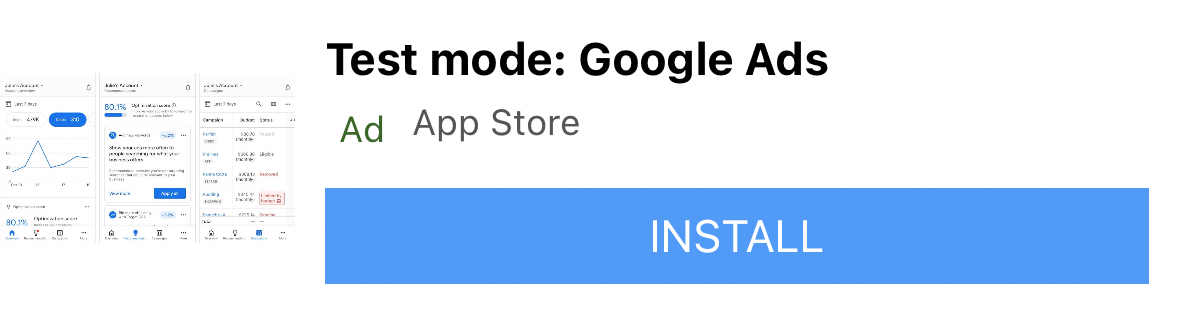
เทมเพลตขนาดเล็กเหมาะสำหรับเซลล์ขนาด UICollectionView หรือ UITableView เช่น คุณสามารถใช้โฆษณานี้เป็นโฆษณาในฟีด หรือที่ใดก็ได้ที่ต้องการมุมมองโฆษณารูปสี่เหลี่ยมผืนผ้าแบบบาง ขนาดเริ่มต้นของเทมเพลตนี้คือความสูง 91 พอยท์ x ความกว้าง 355 พอยท์
GADTMediumTemplateView
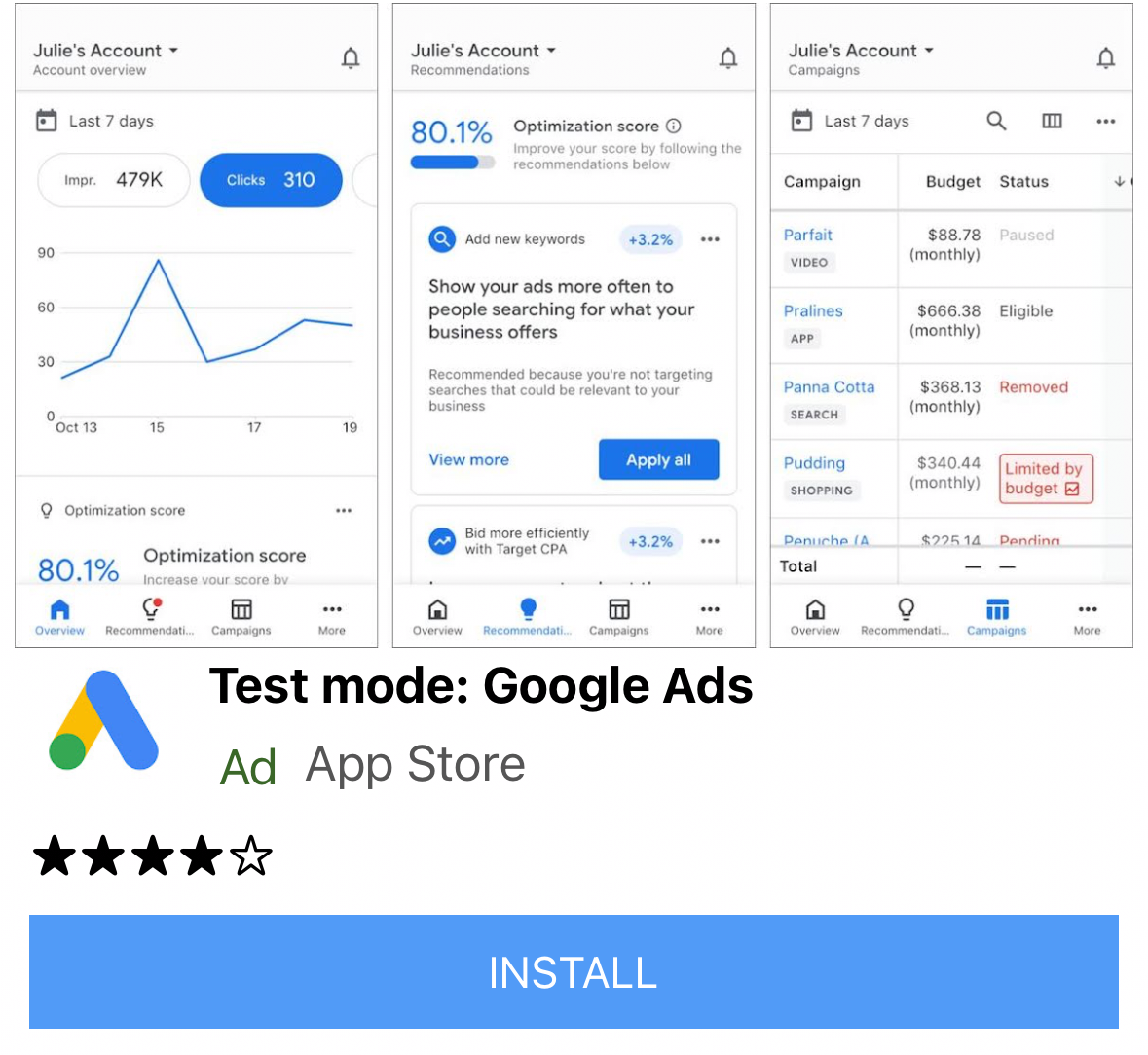
เทมเพลตขนาดกลางมีไว้สำหรับการดูหน้าเว็บขนาด 1/2 ถึง 3/4 ซึ่งเหมาะสำหรับหน้า Landing Page หรือหน้า Splash แต่ก็รวมไว้ใน UITableViews ได้เช่นกัน ขนาดเริ่มต้นของเทมเพลตนี้คือสูง 370 พอยต์และกว้าง 355 พอยต์
เทมเพลตทั้งหมดของเรารองรับการจัดวางอัตโนมัติ คุณจึงทดลองจัดวางได้ตามต้องการ แน่นอนว่าคุณยังเปลี่ยนซอร์สโค้ดและไฟล์ xib ให้เหมาะกับความต้องการของคุณได้ด้วย
การติดตั้งเทมเพลตโฆษณาเนทีฟ
หากต้องการติดตั้งเทมเพลตเนทีฟ เพียงดาวน์โหลดไฟล์ ZIP แล้วลากไปยังโปรเจ็กต์ Xcode ตรวจสอบว่าคุณได้เลือกคัดลอกรายการหากจำเป็น

การใช้เทมเพลตโฆษณาเนทีฟ
เมื่อเพิ่มโฟลเดอร์ลงในโปรเจ็กต์และรวมคลาสที่เกี่ยวข้องไว้ในไฟล์แล้ว ให้ทำตามสูตรนี้เพื่อใช้เทมเพลต โปรดทราบว่าวิธีเดียวที่จะเปลี่ยนพร็อพเพอร์ตี้แบบอักษรและสไตล์ได้คือการใช้พจนานุกรมสไตล์ เนื่องจากปัจจุบันเราลบล้างสไตล์ที่ตั้งค่าไว้ใน xib เอง
Objective-C
/// Step 1: Import the templates that you need.
#import "NativeTemplates/GADTSmallTemplateView.h"
#import "NativeTemplates/GADTTemplateView.h"
...

// STEP 2: Initialize your template view object.
GADTSmallTemplateView *templateView =
    [[NSBundle mainBundle] loadNibNamed:@"GADTSmallTemplateView" owner:nil options:nil]
      .firstObject;

// STEP 3: Template views are just GADNativeAdViews.
_nativeAdView = templateView;
nativeAd.delegate = self;

// STEP 4: Add your template as a subview of whichever view you'd like.
// This must be done before calling addHorizontalConstraintsToSuperviewWidth.
// Please note: Our template objects are subclasses of GADNativeAdView so
// you can insert them into whatever type of view you’d like, and don’t need to
// create your own.
[self.view addSubview:templateView];

// STEP 5 (Optional): Create your styles dictionary. Set your styles dictionary
// on the template property. A default dictionary is created for you if you do
// not set this. Note - templates do not currently respect style changes in the
// xib.

NSString *myBlueColor = @"#5C84F0";
NSDictionary *styles = @{
    GADTNativeTemplateStyleKeyCallToActionFont : [UIFont systemFontOfSize:15.0],
    GADTNativeTemplateStyleKeyCallToActionFontColor : UIColor.whiteColor,
    GADTNativeTemplateStyleKeyCallToActionBackgroundColor :
        [GADTTemplateView colorFromHexString:myBlueColor],
    GADTNativeTemplateStyleKeySecondaryFont : [UIFont systemFontOfSize:15.0],
    GADTNativeTemplateStyleKeySecondaryFontColor : UIColor.grayColor,
    GADTNativeTemplateStyleKeySecondaryBackgroundColor : UIColor.whiteColor,
    GADTNativeTemplateStyleKeyPrimaryFont : [UIFont systemFontOfSize:15.0],
    GADTNativeTemplateStyleKeyPrimaryFontColor : UIColor.blackColor,
    GADTNativeTemplateStyleKeyPrimaryBackgroundColor : UIColor.whiteColor,
    GADTNativeTemplateStyleKeyTertiaryFont : [UIFont systemFontOfSize:15.0],
    GADTNativeTemplateStyleKeyTertiaryFontColor : UIColor.grayColor,
    GADTNativeTemplateStyleKeyTertiaryBackgroundColor : UIColor.whiteColor,
    GADTNativeTemplateStyleKeyMainBackgroundColor : UIColor.whiteColor,
    GADTNativeTemplateStyleKeyCornerRadius : [NSNumber numberWithFloat:7.0],
};

templateView.styles = styles;

// STEP 6: Set the ad for your template to render.
templateView.nativeAd = nativeAd;

// STEP 7 (Optional): If you'd like your template view to span the width of your
// superview call this method.
[templateView addHorizontalConstraintsToSuperviewWidth];
[templateView addVerticalCenterConstraintToSuperview];
คีย์พจนานุกรมสไตล์
วิธีที่เร็วที่สุดในการปรับแต่งเทมเพลตคือการสร้างพจนานุกรมที่มีคีย์ต่อไปนี้
Objective-C
/// Call to action font. Expects a UIFont.
GADTNativeTemplateStyleKeyCallToActionFont

/// Call to action font color. Expects a UIColor.
GADTNativeTemplateStyleKeyCallToActionFontColor;

/// Call to action background color. Expects a UIColor.
GADTNativeTemplateStyleKeyCallToActionBackgroundColor;

/// The font, font color and background color for the first row of text in the
/// template.

/// All templates have a primary text area which is populated by the native ad's
/// headline.

/// Primary text font. Expects a UIFont.
GADTNativeTemplateStyleKeyPrimaryFont;

/// Primary text font color. Expects a UIFont.
GADTNativeTemplateStyleKeyPrimaryFontColor;

/// Primary text background color. Expects a UIColor.
GADTNativeTemplateStyleKeyPrimaryBackgroundColor;

/// The font, font color and background color for the second row of text in the
/// template.

/// All templates have a secondary text area which is populated either by the
/// body of the ad, or by the rating of the app.

/// Secondary text font. Expects a UIFont.
GADTNativeTemplateStyleKeySecondaryFont;

/// Secondary text font color. Expects a UIColor.
GADTNativeTemplateStyleKeySecondaryFontColor;

/// Secondary text background color. Expects a UIColor.
GADTNativeTemplateStyleKeySecondaryBackgroundColor;

/// The font, font color and background color for the third row of text in the
/// template. The third row is used to display store name or the default
/// tertiary text.

/// Tertiary text font. Expects a UIFont.
GADTNativeTemplateStyleKeyTertiaryFont;

/// Tertiary text font color. Expects a UIColor.
GADTNativeTemplateStyleKeyTertiaryFontColor;

/// Tertiary text background color. Expects a UIColor.
GADTNativeTemplateStyleKeyTertiaryBackgroundColor;

/// The background color for the bulk of the ad. Expects a UIColor.
GADTNativeTemplateStyleKeyMainBackgroundColor;

/// The corner rounding radius for the icon view and call to action. Expects an
/// NSNumber.
GADTNativeTemplateStyleKeyCornerRadius;
คำถามที่พบบ่อย
- เหตุใดฉันจึงได้รับข้อยกเว้นเมื่อพยายามสร้างอินสแตนซ์ออบเจ็กต์เทมเพลต
- กรณีนี้อาจเกิดขึ้นหากคุณเปลี่ยนขนาดของมุมมองในไฟล์ xib แต่ไม่ได้เปลี่ยนขนาดของเฟรมที่สร้างขึ้นในเมธอด "setup" ของคลาสย่อย
- ฉันจะปรับแต่งเทมเพลตเหล่านี้เพิ่มเติมได้อย่างไร
- เทมเพลตเหล่านี้เป็นเพียงไฟล์ XIB ที่มีออบเจ็กต์มุมมองที่เชื่อมโยง เช่นเดียวกับไฟล์ XIB และคลาสของมุมมองที่กำหนดเองอื่นๆ ที่คุณอาจคุ้นเคยจากการพัฒนา iOS หากต้องการสร้างโฆษณาเนทีฟตั้งแต่ต้น โปรดดูคู่มือเนทีฟขั้นสูง
- ทำไมสไตล์ของฉันจึงไม่อัปเดตเมื่อตั้งค่าใน xib
- ขณะนี้เราลบล้างรูปแบบ xib ทั้งหมดด้วยพจนานุกรมรูปแบบเริ่มต้นใน
GADTTemplateView.m
มีส่วนร่วม
เราได้สร้างเทมเพลตเนทีฟเพื่อช่วยให้คุณพัฒนาโฆษณาเนทีฟได้อย่างรวดเร็ว เราอยากเห็นคุณมีส่วนร่วมในที่เก็บ GitHub ของเราเพื่อเพิ่มเทมเพลตหรือฟีเจอร์ใหม่ๆ ส่ง Pull Request มาให้เรา แล้วเราจะตรวจสอบให้