
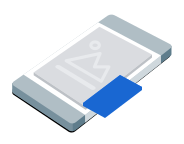
โฆษณาแบบการแสดงภาพซ้อนภาพ (PIP) จะแสดงในหน้าต่างแบบลอยที่อยู่ด้านบนของเนื้อหาบนหน้าจอ เช่น บทความ ฟีด หรือเกมเพลย์ รูปแบบนี้ช่วยให้ผู้ใช้โต้ตอบกับแอปได้ขณะที่โฆษณายังคงแสดงอยู่ หากต้องการแสดงโฆษณาที่ไม่ครอบคลุมทั้งหน้าจอ ให้เลือกรูปแบบนี้ ดูข้อมูลเพิ่มเติมเกี่ยวกับโฆษณาแบบภาพซ้อนภาพ
คู่มือนี้ครอบคลุมการขอและการแสดงโฆษณาแบบภาพซ้อนภาพในแอปโดยใช้ Google Mobile Ads Unity Plugin
ก่อนเริ่มต้น
โปรดทำสิ่งต่อไปนี้ก่อนดำเนินการต่อ
ติดตั้ง Google Mobile Ads Unity Plugin เวอร์ชัน
11.6.0ขึ้นไป
- สำหรับแอป Android ให้ติดตั้ง GMA Next-Gen SDK
เปิดใช้โฆษณาทดสอบและใช้รหัสหน่วยโฆษณาทดสอบต่อไปนี้
Android
ca-app-pub-3940256099942544/9657123429iOS
ca-app-pub-3940256099942544/8810945611
โหลดโฆษณา
หากต้องการโหลดออบเจ็กต์ PictureInPictureAd ให้สร้างคำขอโฆษณาและเรียกใช้เมธอด load ดังนี้
แทนที่ _adUnitId ด้วยรหัสหน่วยโฆษณา
แสดงโฆษณา
หากต้องการแสดงโฆษณาแบบภาพซ้อนภาพบนหน้าจอ ให้เรียกใช้เมธอด show ตัวอย่างต่อไปนี้แสดงโฆษณาในตำแหน่งเริ่มต้น
public void ShowPictureInPictureAd()
{
    // Use the ad reference saved from the Load callback.
    if (_pictureInPictureAd != null)
    {
        _pictureInPictureAd.Show();
    }
    else
    {
        Debug.Log("No ad to show.");
    }
}
กำหนดตำแหน่ง
โดยค่าเริ่มต้น Google Mobile Ads Unity Plugin จะแสดงโฆษณาแบบภาพซ้อนภาพที่มุมขวาล่างของหน้าจอเมื่อแสดงครั้งแรก หรือที่ตำแหน่งที่ทราบล่าสุดหากเคยแสดงมาก่อน หากต้องการปรับแต่งตำแหน่งที่โฆษณาจะปรากฏ ให้ระบุตำแหน่งเมื่อแสดงโฆษณา ตัวอย่างต่อไปนี้จะตั้งค่าตำแหน่งให้อยู่ด้านบนของเนื้อหาที่มุมซ้ายบนของหน้าจอ
public void ShowPictureInPictureAdTopLeft()
{
    // Use the ad reference saved from the Load callback.
    if (_pictureInPictureAd != null)
    {
        _pictureInPictureAd.Show(PictureInPictureAdPosition.TopLeft);
    }
    else
    {
        Debug.Log("No ad to show.");
    }
}
ดูตำแหน่งที่เปิดรับทั้งหมดได้ที่ PictureInPictureAdPosition
รอเหตุการณ์โฆษณา
หากต้องการจัดการเหตุการณ์ในวงจรของโฆษณาแบบการแสดงภาพซ้อนภาพ ให้ลงทะเบียนรับเหตุการณ์โฆษณาก่อนแสดงโฆษณา รายงานเหตุการณ์เหล่านี้จะรายงานการโต้ตอบกับโฆษณา เช่น การคลิกและการแสดงผล เหตุการณ์เหล่านี้ยังรายงานเหตุการณ์ที่เจาะจงสำหรับการแสดงภาพซ้อนภาพด้วย เช่น เมื่อโฆษณาแสดงหรือซ่อน
private void RegisterEventHandlers(PictureInPictureAd ad)
{
    // Raised when the ad is estimated to have earned money.
    ad.OnAdPaid += (AdValue adValue) =>
    {
        Debug.Log($"Picture-in-picture ad paid: {adValue.Value} {adValue.CurrencyCode}");
    };
    // Raised when an impression is recorded for an ad.
    ad.OnAdImpressionRecorded += () =>
    {
        Debug.Log("Picture-in-picture ad recorded an impression.");
    };
    // Raised when a click is recorded for an ad.
    ad.OnAdClicked += () =>
    {
        Debug.Log("Picture-in-picture ad recorded a click.");
    };
    // Raised when the picture-in-picture ad is displayed on the screen.
    ad.OnAdShown += () =>
    {
        Debug.Log("Picture-in-picture ad shown.");
    };
    // Raised when the picture-in-picture ad is hidden from the screen.
    ad.OnAdHidden += () =>
    {
        Debug.Log("Picture-in-picture ad hidden.");
    };
    // Raised when an ad opened full screen content.
    ad.OnAdFullScreenContentOpened += () =>
    {
        Debug.Log("Picture-in-picture ad opened full screen content.");
    };
    // Raised when the ad closed full screen content.
    ad.OnAdFullScreenContentClosed += () =>
    {
        Debug.Log("Picture-in-picture ad closed full screen content.");
    };
    // Raised when the ad failed to open full screen content.
    ad.OnAdFullScreenContentFailed += (AdError error) =>
    {
        Debug.LogWarning(
            "Picture-in-picture ad failed to open full screen " +
            "content: " + error);
    };
}
ซ่อนโฆษณา
หากต้องการนำโฆษณาแบบลอยออกจากหน้าจอ ให้เรียกใช้เมธอด hide เมธอดนี้จะเรียกใช้เหตุการณ์ที่ซ่อนโฆษณา
public void HidePictureInPictureAd()
{
    // Use the ad reference saved from the Load callback.
    if (_pictureInPictureAd != null)
    {
        _pictureInPictureAd.Hide();
    }
    else
    {
        Debug.Log("No ad to hide.");
    }
}
ล้างทรัพยากรโฆษณา
เพื่อหลีกเลี่ยงไม่ให้หน่วยความจำรั่วไหล ให้ยกเลิกการอ้างอิงออบเจ็กต์โฆษณาเมื่อแอปใช้โฆษณาเสร็จแล้ว เช่น เมื่อแอปไม่แสดงหรือโต้ตอบกับโฆษณาอีกต่อไป ให้ทำดังนี้
public void DestroyPictureInPictureAd()
{
    // Use the ad reference saved from the Load callback.
    if (_pictureInPictureAd != null)
    {
        _pictureInPictureAd.Destroy();
        _pictureInPictureAd = null;
    }
}