

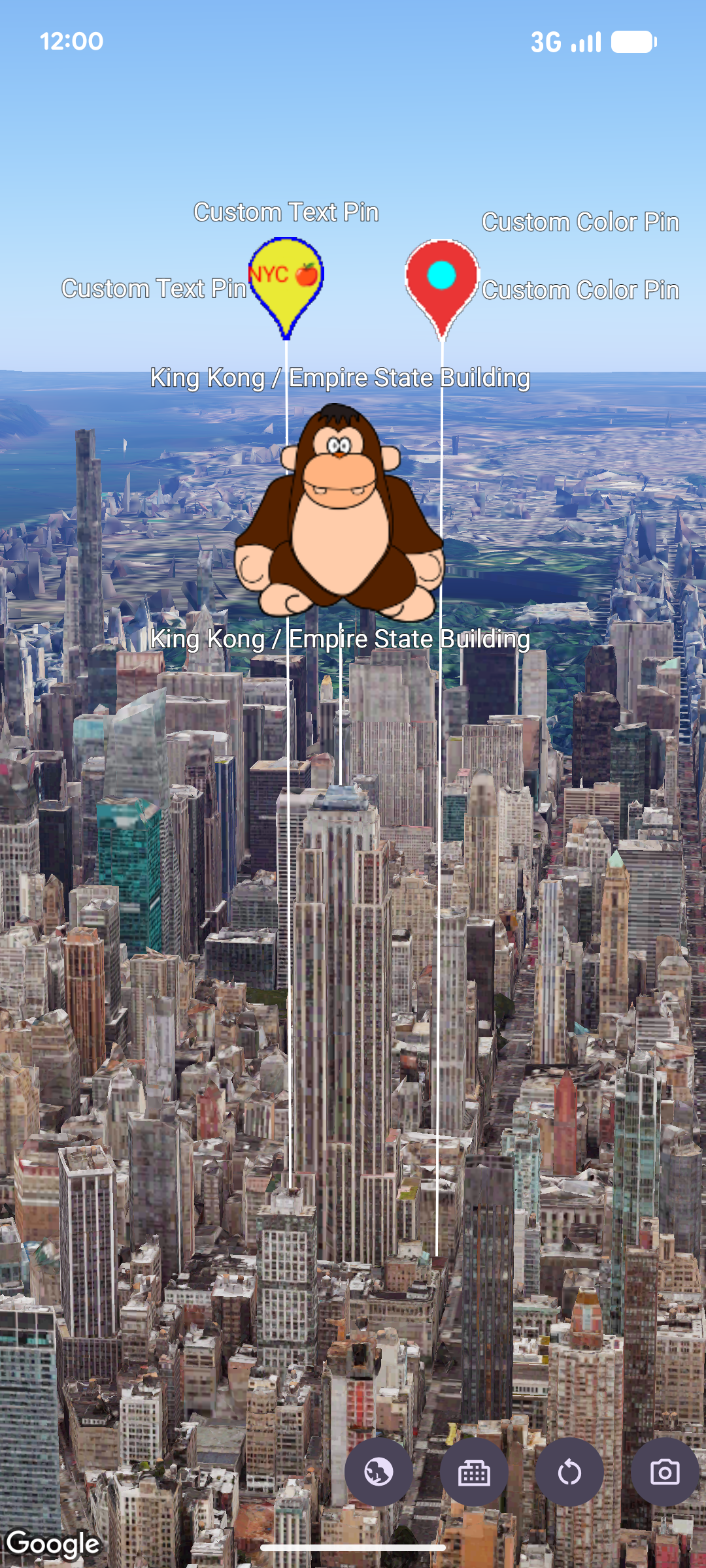
您可以使用 MarkerView 将自定义 Android View 层次结构呈现为 3D 地图上的标记。借助自定义视图标记,您可以显示丰富的界面布局、互动式 widget 以及锚定到地理坐标的视图动画。
添加自定义视图标记
如需向地图添加自定义视图标记,请创建一个 MarkerViewOptions 实例,使用 LatLngAltitude 对象通过 setPosition 配置其位置,并使用 setContent 提供自定义 Android View。然后,将这些选项传递给 GoogleMap3D 实例上的 addMarkerView。
如果您未向 setContent 提供视图,SDK 会创建并呈现默认 PinView。
// Add imports
import android.widget.TextView
import com.google.android.gms.maps3d.model.MarkerViewOptions
import com.google.android.gms.maps3d.model.latLngAltitude

// Create a custom Android View
val badgeView = TextView(context).apply {
    text = "Empire State Building"
    contentDescription = "Marker for Empire State Building"
    setPadding(24, 12, 24, 12)
}

// Configure MarkerViewOptions and add the marker view to the map
val options = MarkerViewOptions().apply {
    position = latLngAltitude {
        latitude = 40.7484
        longitude = -73.9857
        altitude = 100.0
    }
    content = badgeView
}

val markerView = googleMap3D.addMarkerView(options)
自定义默认 PinView
您无需构建完全自定义的 Android View,只需使用自定义 PinConfiguration 创建 PinView(或使用 setPinConfiguration 更新现有实例),并将其传递给 setContent,即可呈现自定义图钉。
// Add imports
import android.graphics.Color
import com.google.android.gms.maps3d.model.MarkerViewOptions
import com.google.android.gms.maps3d.model.PinView
import com.google.android.gms.maps3d.model.latLngAltitude
import com.google.android.gms.maps3d.model.pinConfiguration

// Create a customized PinView
val customPinView = PinView(context, pinConfiguration {
    backgroundColor = Color.BLUE
    borderColor = Color.WHITE
})

// Configure MarkerViewOptions and add the marker view to the map
val options = MarkerViewOptions().apply {
    position = latLngAltitude {
        latitude = 40.7484
        longitude = -73.9857
        altitude = 100.0
    }
    content = customPinView
}

val markerView = googleMap3D.addMarkerView(options)
处理互动和动画
由于 MarkerView 封装了 Android View,因此您可以将标准点击监听器和视图动画直接附加到 getContent 返回的视图。
此外,MarkerView 实现了 Anchorable,可让您使用 addPopover 将 Popover 锚定到标记视图:
markerView?.content?.setOnClickListener { view ->
    // Animate the view when clicked
    view.animate().rotationBy(90f).setDuration(300).start()
}
配置海拔高度和冲突行为
您可以自定义 MarkerView 的垂直位置以及它与重叠的地图标签或标记的互动方式:
- 高度模式:使用
AltitudeMode常量对MarkerViewOptions调用setAltitudeMode。默认情况下,MarkerViewOptions使用AltitudeMode.CLAMP_TO_GROUND。 - 冲突行为:使用
CollisionBehavior常量(默认为CollisionBehavior.REQUIRED)调用setCollisionBehavior,并使用setCollisionPriority指定标记冲突时的显示优先级。
无障碍功能和移除
您负责在提供给 setContent 的自定义 Android View 上配置无障碍属性(例如 contentDescription)。
如需从地图中移除 MarkerView,请调用 remove:
markerView?.remove()