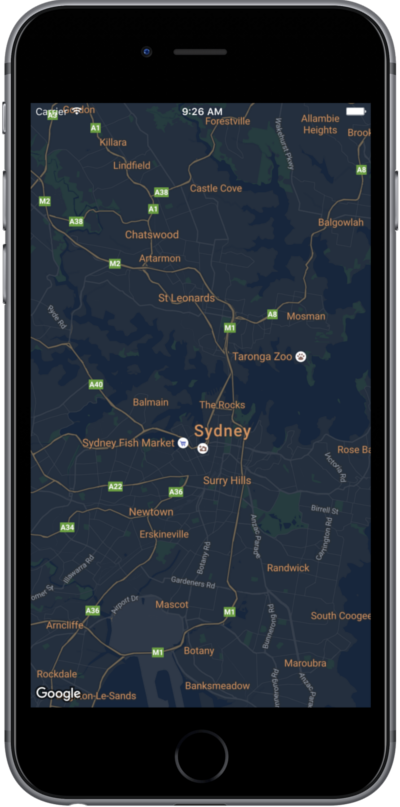
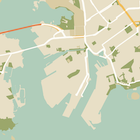
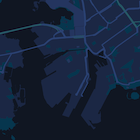
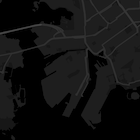
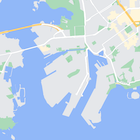
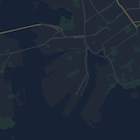
importGoogleMapsclassMapStyling:UIViewController{// Set the status bar style to complement night-mode.overridevarpreferredStatusBarStyle:UIStatusBarStyle{return.lightContent}overridefuncloadView(){letcamera=GMSCameraPosition.camera(withLatitude:-33.86,longitude:151.20,zoom:14.0)letoptions=GMSMapViewOptions()options.camera=cameraletmapView=GMSMapView(options:options)do{// Set the map style by passing the URL of the local file.ifletstyleURL=Bundle.main.url(forResource:"style",withExtension:"json"){mapView.mapStyle=tryGMSMapStyle(contentsOfFileURL:styleURL)}else{NSLog("Unable to find style.json")}}catch{NSLog("One or more of the map styles failed to load. \(error)")}self.view=mapView}}
Objective-C
#import "MapStyling.h"@importGoogleMaps;@interfaceMapStyling()@end@implementationMapStyling// Set the status bar style to complement night-mode.-(UIStatusBarStyle)preferredStatusBarStyle{returnUIStatusBarStyleLightContent;}-(void)loadView{GMSCameraPosition*camera=[GMSCameraPositioncameraWithLatitude:-33.86longitude:151.20zoom:12];GMSMapViewOptions*options=[[GMSMapViewOptionsalloc]init];options.camera=camera;GMSMapView*mapView=[[GMSMapViewalloc]initWithOptions:options];mapView.myLocationEnabled=YES;NSBundle*mainBundle=[NSBundlemainBundle];NSURL*styleUrl=[mainBundleURLForResource:@"style"withExtension:@"json"];NSError*error;// Set the map style by passing the URL for style.json.GMSMapStyle*style=[GMSMapStylestyleWithContentsOfFileURL:styleUrlerror:&error];if(!style){NSLog(@"The style definition could not be loaded: %@",error);}mapView.mapStyle=style;self.view=mapView;}@end
classMapStylingStringResource:UIViewController{letMapStyle="JSON_STYLE_GOES_HERE"// Set the status bar style to complement night-mode.overridevarpreferredStatusBarStyle:UIStatusBarStyle{return.lightContent}overridefuncloadView(){letcamera=GMSCameraPosition.camera(withLatitude:-33.86,longitude:151.20,zoom:14.0)letoptions=GMSMapViewOptions()options.camera=cameraletmapView=GMSMapView(options:options)do{// Set the map style by passing a valid JSON string.mapView.mapStyle=tryGMSMapStyle(jsonString:MapStyle)}catch{NSLog("One or more of the map styles failed to load. \(error)")}self.view=mapView}}
Objective-C
@implementationMapStylingStringResource// Paste the JSON string to use.staticNSString*constkMapStyle=@"JSON_STYLE_GOES_HERE";// Set the status bar style to complement night-mode.-(UIStatusBarStyle)preferredStatusBarStyle{returnUIStatusBarStyleLightContent;}-(void)loadView{GMSCameraPosition*camera=[GMSCameraPositioncameraWithLatitude:-33.86longitude:151.20zoom:12];GMSMapViewOptions*options=[[GMSMapViewOptionsalloc]init];options.camera=camera;GMSMapView*mapView=[[GMSMapViewalloc]initWithOptions:options];mapView.myLocationEnabled=YES;NSError*error;// Set the map style by passing a valid JSON string.GMSMapStyle*style=[GMSMapStylestyleWithJSONString:kMapStyleerror:&error];if(!style){NSLog(@"The style definition could not be loaded: %@",error);}mapView.mapStyle=style;self.view=mapView;}@end
[null,null,["อัปเดตล่าสุด 2026-10-21 UTC"],[],["To customize map appearance, apply styles to the `kGMSTypeNormal` map type. Utilize `GMSMapStyle` by passing a URL for a local JSON file or a JSON string to the `mapStyle` property. Define styles with selectors (features and elements) and stylers (color, visibility). Create a `style.json` file for night-mode styling with the provided JSON or use a JSON string directly. Consider cloud customization for uniform styling across multiple apps. The Maps Platform Styling Wizard can help generate JSON style objects. Avoid mixing cloud and hardcoded styles.\n"]]